
Manual Part Inventory Count Adjustments
There are times when part inventory levels need to be adjusted. This may be due to a miscount, a manual PO that didn't get processed, loss and/or theft, or the most common reason-physical inventory. Inventory adjustments can be done directly in the part record.
RTA recommends using this function sparingly as inventory adjustments should be done automatically through parts posting to Work Orders and parts received through Purchase Orders. If a count is off, it is recommended that a thorough review of postings be done to identify where the error occurred and fix the posting rather than doing a manual adjustment.
Adding parts recovered from a salvaged asset? An adjustment is the right tool when you are correcting a count. If you want a receipt style record of the parts coming into stock, receive them on a purchase order instead. Refer to Adding Salvaged or Recovered Parts to Inventory.
To adjust the on-hand quantity of a part, follow the below process:
Access the part file through the parts master list
Click on the Inventory Tab
Navigate to the Stocking Panel

Click on the Adjust Bin Quantities link in the Stocking Panel

Adjust the total on hand as necessary in each bin location
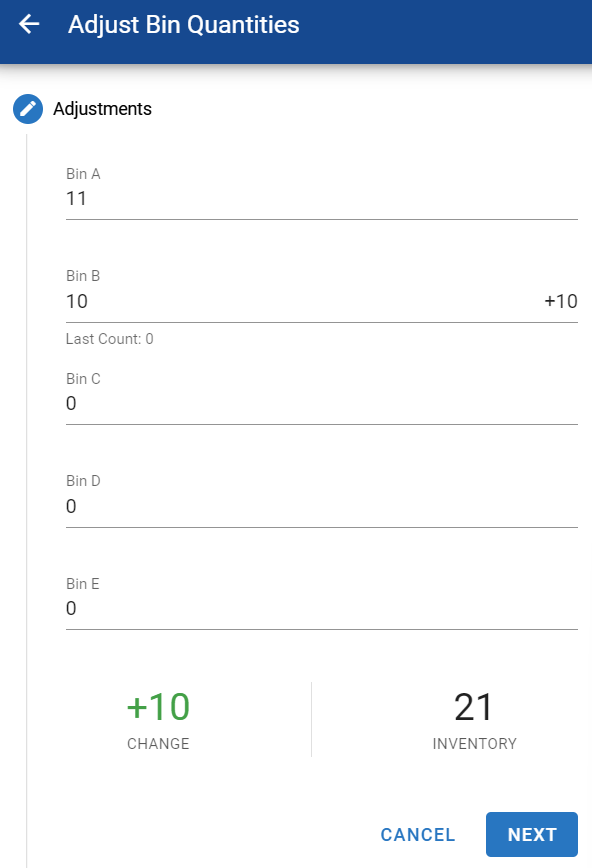
The system will display the relevant count change
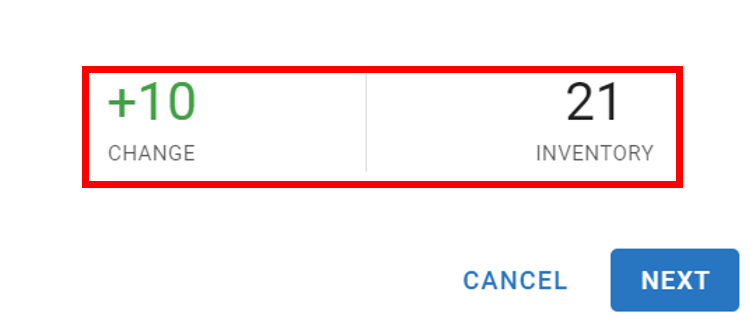
Click Next
Enter a reason for the adjustment
This is a free form field, up to 15 characters
If the total on hand went up, enter the Cost per unit. The field is required when quantity increases and is averaged into the part’s cost; with FIFO on it is the price of the new stack layer
Click Save
The stocking panel should now display the edited on-hand quantities
Faster ways after a physical inventory
The per-part steps above are the right tool for a handful of corrections — for a full physical inventory or a long bin, these paths go faster:
Step through many parts without returning to the grid: on the Parts master list, open the 3-dot menu and turn on Detail View, set a filter (for example by bin), then use the side panel to move record-to-record. Refer to Detail View Setting for Master Lists.
Count on a mobile device: RTA Mobile → Inventory Count is built for physical-inventory counting and writes the counts back for you. Refer to RTA Mobile - Parts Inventory Count.
Update in bulk by file: import the updated quantities with the parts import instead of editing each part. Refer to Parts Import and Export.
Whichever path you use, record a reason such as “physical inv” so the adjustment history explains itself later — and keep the rule above: adjustments correct counts; day-to-day inventory movement should come through work order postings and receipts.