Work Order Line
Summary/Use Case
Report Summary
The Work Order Line report (Open Work Order Lines) lists every open repair line with key identifiers, dates, VMRS information, technician, notes (Complaint/Cause/Correction), and posted dollar/hour totals. Fleet managers use this to chase aging work, prioritize by priority code, and review costs already posted on each open line.
Use Case
Monitor all open or re-opened repair lines to reduce cycle time and backlog
Prioritize work by Priority and Last Update date to keep critical units moving
Review VMRS coding and Complaint/Cause/Correction notes for quality and auditing
Track posted hours and costs (labor/parts/tires/misc) at the line level to spot overruns
Location: Where to Find It
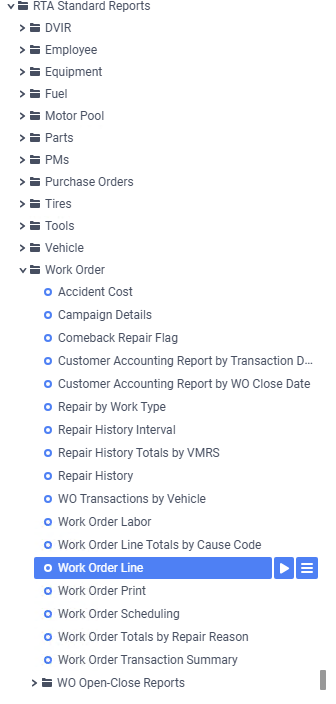
Reports > RTA Standard Reports > Work Order > Work Order Line
Data Filter Prompts
You will be prompted for filtering of the Data to specify and narrow down the data that will be pulled. See Data Filter List Below for Options
Data Filter List
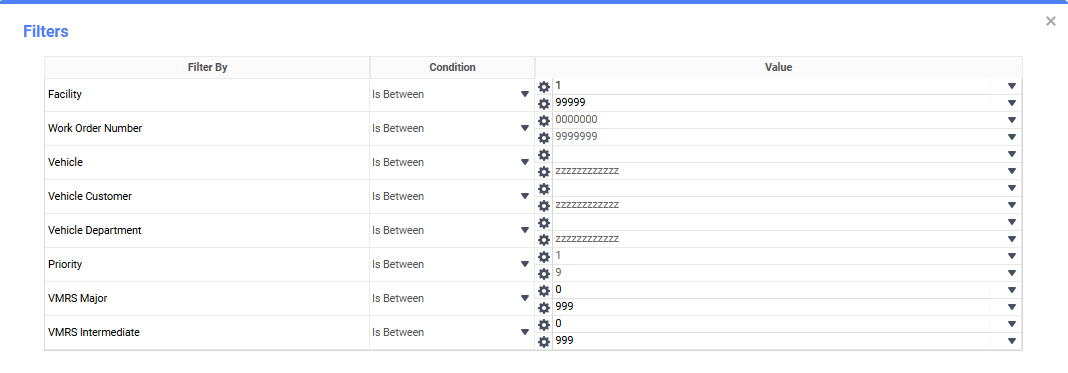
Filter Name | Recommended Filter Condition(s) | Value (Options) | Value (Default) | Value (Notes) |
|---|---|---|---|---|
Facility | Is Between | Low: 1; High: 99999 | Low: 1; High: 99999 | Run one facility or a range. |
Work Order Number | Is Between | Low: 000000; High: 9999999 | Low: 000000; High: 9999999 | Full WO range. |
Vehicle | Is Between | Low: blank; High: zzzzzzzzzzzz | Low: blank; High: zzzzzzzzzzzz | blank and “zzzz…” represent the first and last possible values (full range). |
Vehicle Customer | Is Between | Low: blank; High: zzzzzzzzzzzz | Low: blank; High: zzzzzzzzzzzz | Filter to a specific customer if used. |
Vehicle Department | Is Between | Low: blank; High: zzzzzzzzzzzz | Low: blank; High: zzzzzzzzzzzz | Filter to a department if used. |
Priority | Is Between | Low: 1; High: 9 | Low: 1; High: 9 | Limits to selected priority codes. |
VMRS Major | Is Between | Low: 0; High: 999 | Low: 0; High: 999 | Standard VMRS Major range. |
VMRS Intermediate | Is Between | Low: 0; High: 999 | Low: 0; High: 999 | Standard VMRS Intermediate range. |
Report Output and Data Elements
Report Output
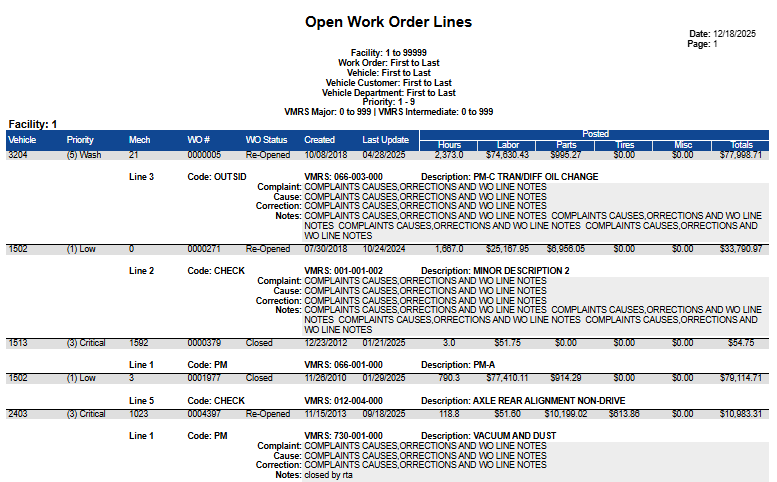
The Work Order Line report lists each open/re-opened WO line by vehicle with columns for priority, technician, work order/line, status, created and last update dates, and posted totals (hours, labor, parts, tires, misc, total). Beneath each line, the report shows VMRS codes/descriptions plus Complaint, Cause, and Correction notes. Sections are grouped by Facility (and often by Vehicle) with subtotals of the posted Totals.
Report Data Elements
Column Number | Column Title | Data Notes (the purpose of that datapoint) |
|---|---|---|
1 | Vehicle | Unit being repaired |
2 | Priority | Line priority/severity used for scheduling |
3a | Mech | Assigned technician ID (if any) |
4 | WO # | Work order number |
5 | WO Status | Current status of the WO (e.g., Open, Re-Opened) |
6 | Created | Date the line was created |
7 | Last Update | Most recent activity date on the line |
8 | Posted Hours | Hours posted to this line |
9 | Posted Labor | Dollar cost of labor posted to the line |
10 | Posted Parts | Dollar cost of parts posted to the line |
11 | Posted Tires | Dollar cost of tire items posted to the line |
12 | Posted Misc | Miscellaneous costs posted to the line |
13 | Posted Total | Sum of Labor + Parts + Tires + Misc for the line |
3b | WO # (Ln) | Line number on the work order |
4b | Repair Code | The repair code of the work order line |
6b | VMRS Major / Intermediate | VMRS coding for the repair (displayed within the detail block) |
8b | Description | VMRS description of the repair |