Extract PO Transactions
Part Management>Settings>Extract PO Transactions
The Extract PO Transactions allows users to export purchase order (PO) transaction data in a user-friendly, readable format. This export can be used for third-party accounting systems, reporting needs, or sharing data with external stakeholders.
This feature provides a table-based view of PO data, similar to Advanced Reporting views. Users can filter data by date range, adjust columns as needed, and refine the table in real time before exporting.
Navigate: Part management>Settings>Extract PO Transactions
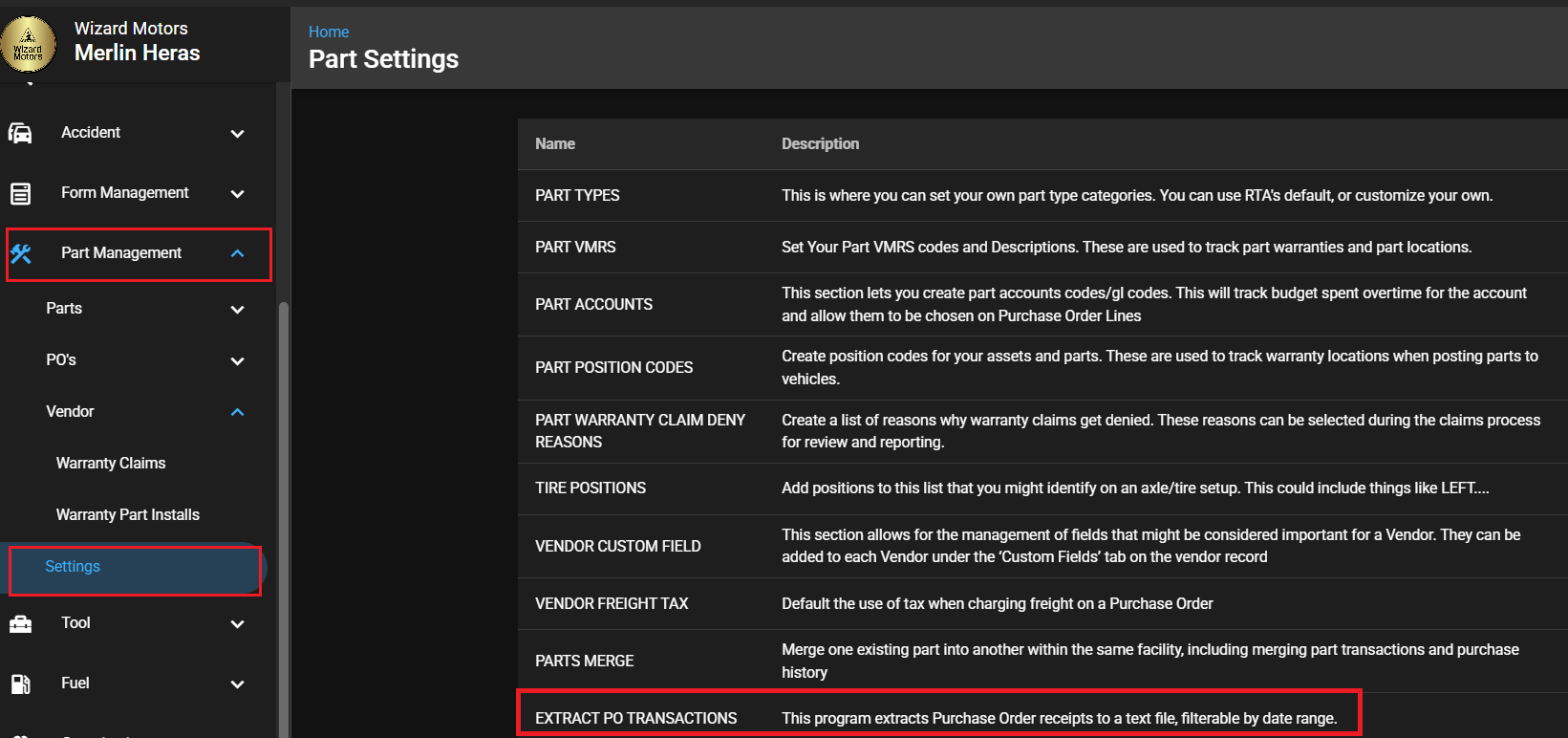
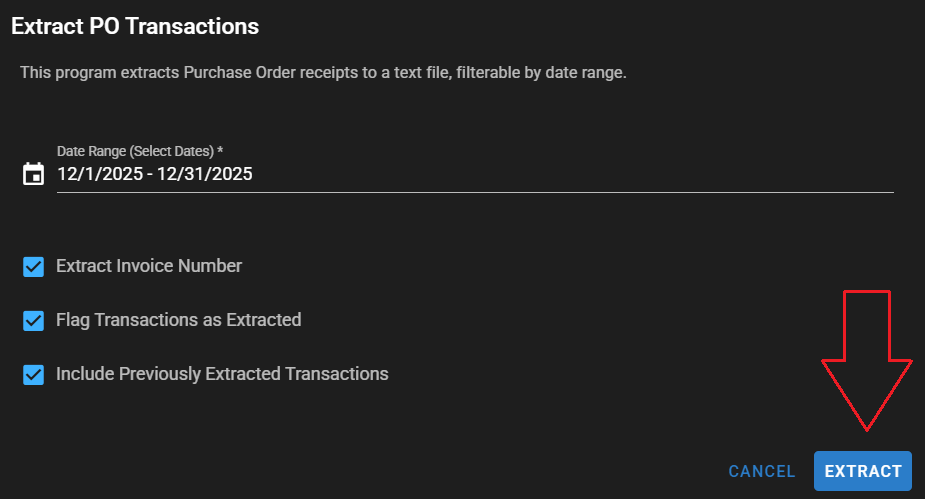
Extract PO Transactions screen:
Date Range (Select Dates)
Start Date – End Date
Extract Invoice Number
Includes the invoice number in the export
Flag Transactions as Extracted
Marks extracted transactions to prevent duplicate exports
Include Previously Extracted Transactions
Includes transactions that were already marked as extracted
You will receive an email notification and an in-app notification with a link to download your extracted file once it is complete.