Understanding Ron360 Responses: Prose, Charts, and Tables
Understanding Ron360 Responses: Prose, Charts, and Tables
Ron360 can respond with plain-language explanations, charts, tables, or a combination of these. The response type depends on the question and the data needed to answer it.
Prose responses
A prose response is a written answer. Ron360 uses prose when the question is best answered with explanation, guidance, summarization, or next steps.
Common prose response examples:
Explaining what a metric means.
Summarizing the result of a data search.
Providing recommended next actions.
Answering how-to or knowledge-base questions.
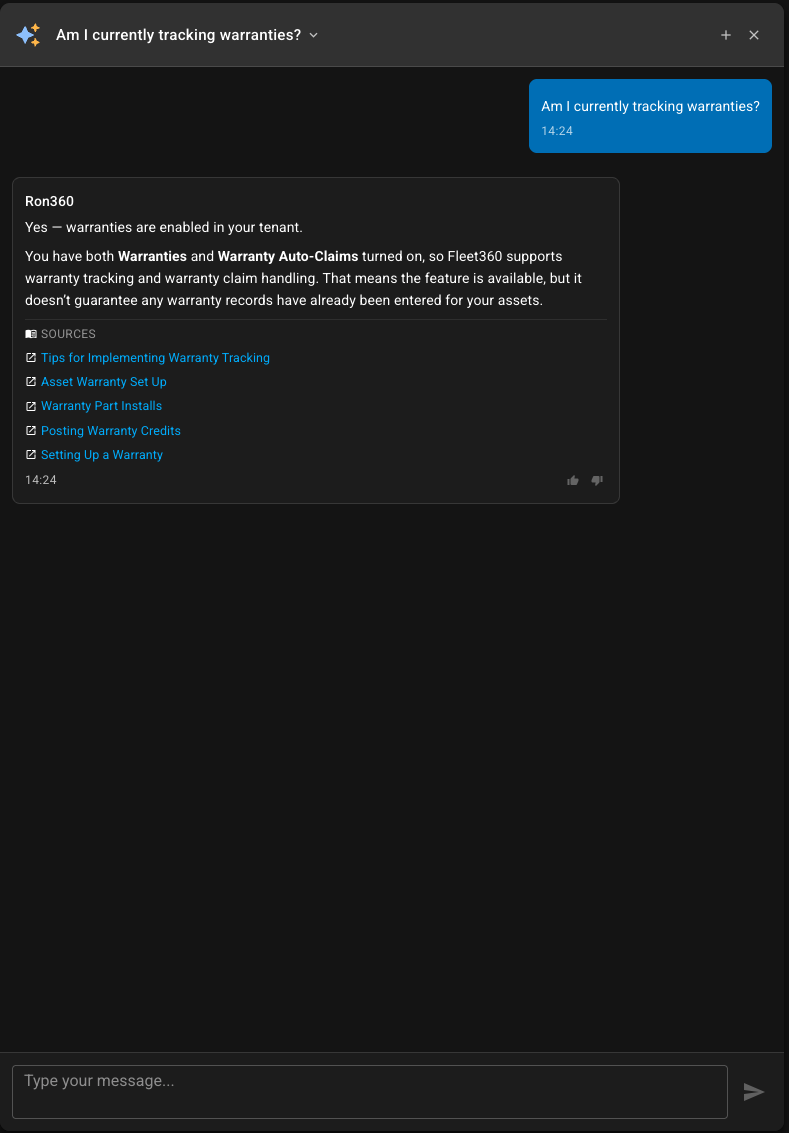
Chart responses
Ron360 uses charts when the answer is best understood visually, such as trends, comparisons, rankings, and distributions.
Chart use | Example question |
|---|---|
Trend over time | Show fuel consumption trend for the last 6 months |
Ranking | Which facilities have the most open work orders? |
Distribution | Show asset count by status |
Cost comparison | Show maintenance cost by facility this quarter |
Chart responses may include these actions:
Fullscreen — opens the chart in a larger view.
Save Widget — saves the chart to the company-wide AI widget library so it can be added to a custom dashboard.
If Ron360 cannot save a chart, it may mean the aggregation details needed to rebuild the chart are unavailable.
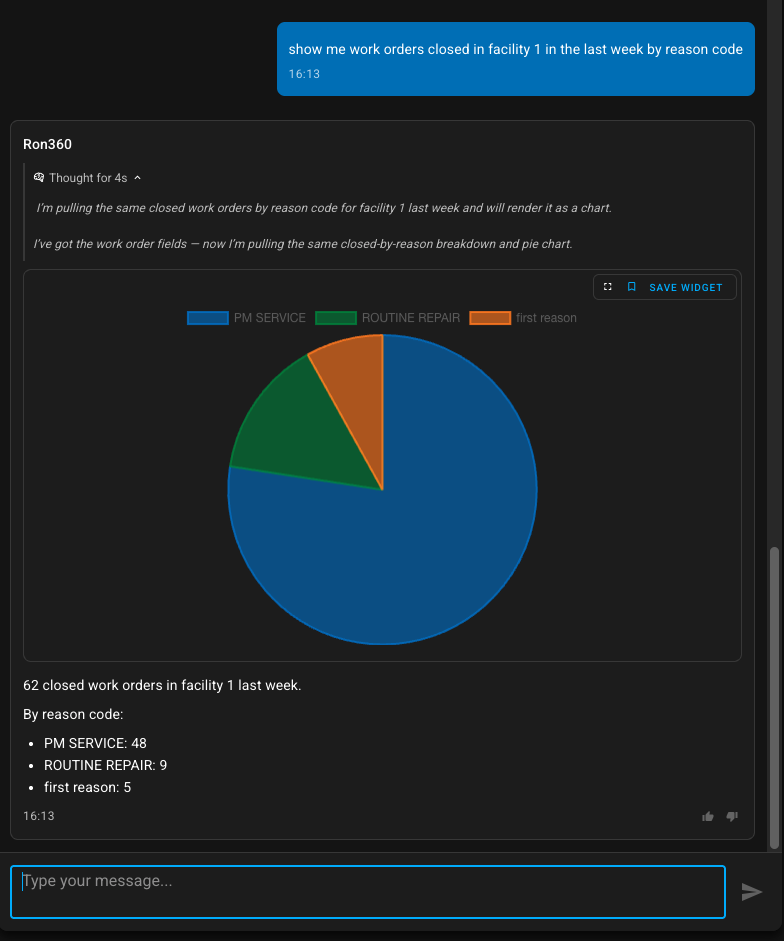
Table responses
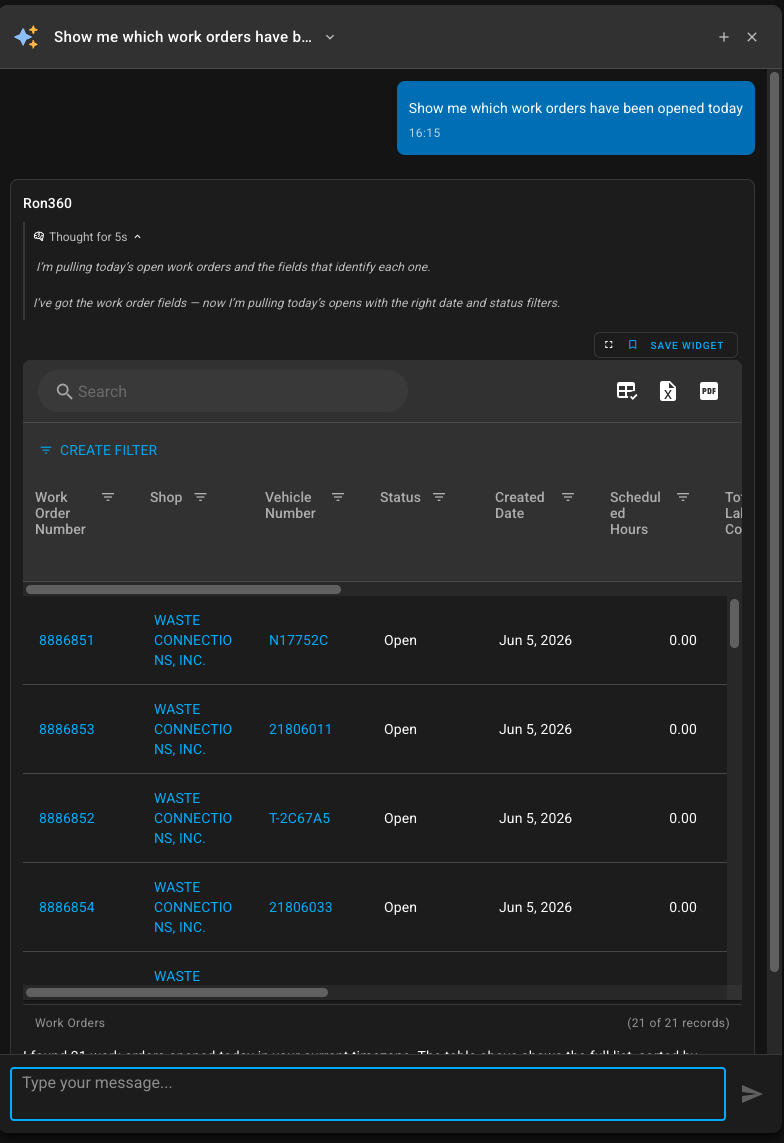
Ron360 uses tables when the answer needs record-level details, columns, filtering, sorting, or export.
Table responses can include:
Clickable links to records when Fleet360 can route to the related item.
Filters and filter builder controls.
Search.
Spreadsheet and PDF export.
A record count showing how many records are displayed.
Fullscreen view for larger data review.
Save Widget when the table can be saved to the AI widget library.
Example table questions:
List open work orders by facility.
Show the top 25 parts by usage cost last month.
Which vehicles are due for service?
Show work orders completed this week by technician.
Source references
Some answers include source references. These appear when Ron360 answers using knowledge-base content. Click a source to open the referenced article or document.
Feedback
Use thumbs up or thumbs down on an AI response to provide feedback. When marking an answer negatively, add a short comment describing what was wrong or missing.
Notes
Ron360 may provide both a chart and a table when the question needs a visual summary and detailed records.
Ask follow-up questions to narrow the date range, add filters, change grouping, or switch between chart and table formats.
Cost totals in a Ron360 answer. A total is only as clear as its label. When Ron360 gives you a work order cost total, or builds a table with a total column, ask it which amounts are in the total, and whether warranty, overhead and damage are included. Damage is never part of a cost total, because those dollars are already counted in the labor, parts, tire and Misc amounts. For the definition of each amount, see Work Order Cost Totals: What Each Amount Includes.
Asking Ron360 for labor hours, fuel quantity or lubricant quantity. These are quantities rather than dollars, and each one is only meaningful for a single kind of transaction: labor quantity is hours, fuel quantity is gallons or litres, and part quantity is a count of parts. Ask for the one you want by name, for example "labor hours per vehicle last month", so the answer is not a mix of units. If Ron360 tells you a quantity is unavailable, the standard Vehicle Audit report reports Labor Hours, Fuel Qty and Lub Qty per vehicle for a date range, and is worth checking before you conclude the data does not exist.