Sublet Quick Repair
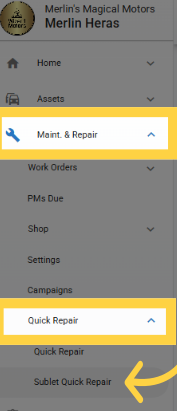
Maint. & Repair>Quick Repair>Sublet Quick Repair
Overview
The Sublet Settings section includes a list of sublet repairs that an organization can repeatedly use
These repairs typically include preventive maintenance (PMs), tire inspections, rotations, and other recurring sublet jobs
Managing these settings allows for efficient tracking and assignment of sublet repair tasks.
Key Benefits
✔ Streamlines management of recurring sublet repairs.
✔ Ensures consistency in repair tracking and postings.
✔ Simplifies assigning repairs to the correct asset and repair line.
Accessing Sublet Quick Repairs
Navigate to Maint. & Repair> Quick Repairs> Sublet Quick Repairs
Sublet Quick Repair Process
The process is similar to in-house repairs but with differences in how steps are structured.
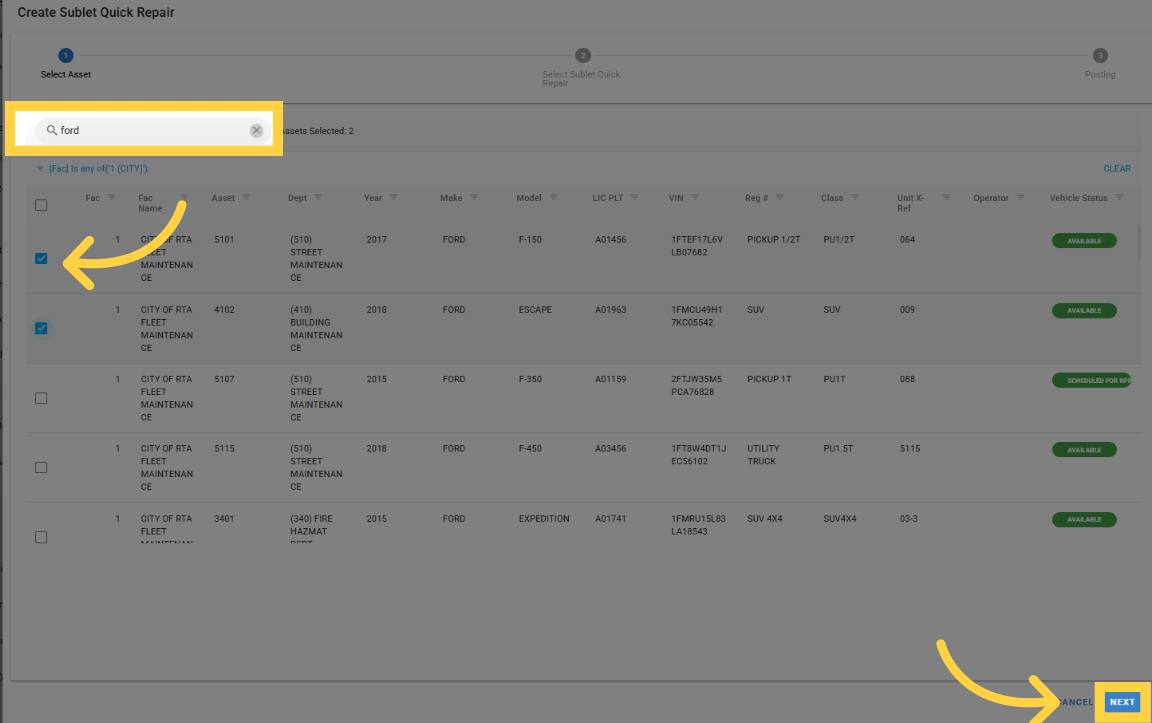
Step 1: Select Assets
Choose the assets that require sublet quick repairs
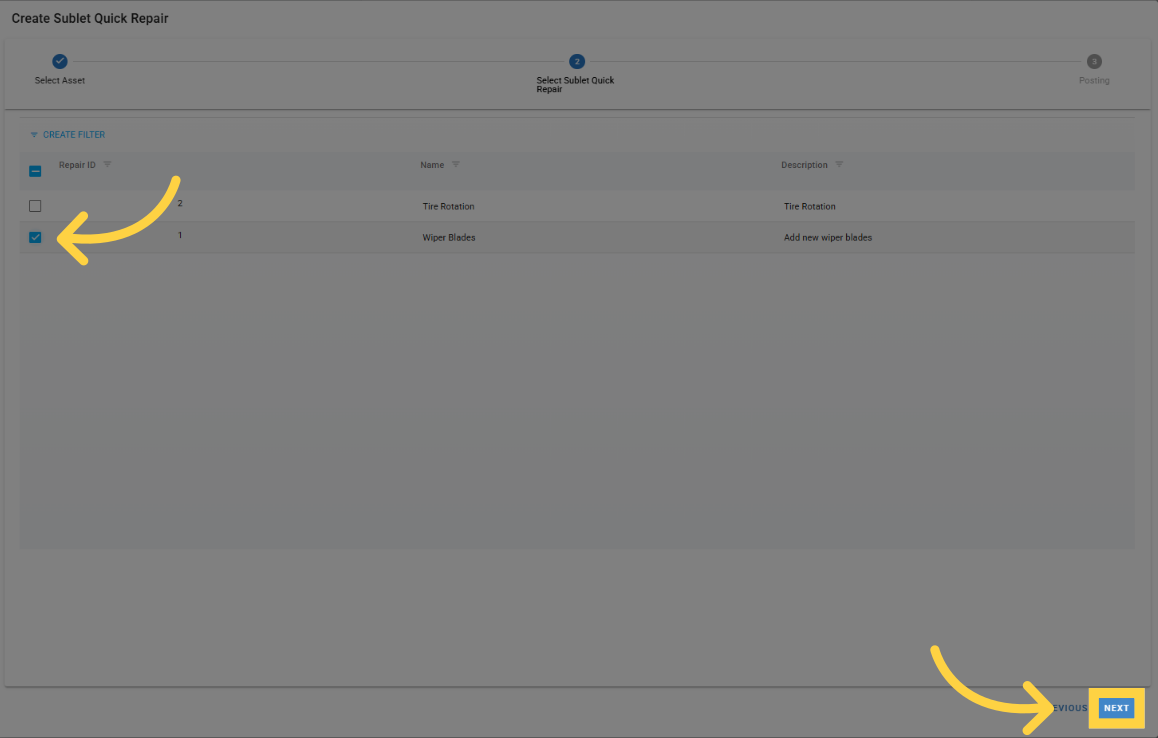
Step 2: Select Sublet Quick Repairs
Select from the predefined list of sublet repairs for the chosen assets
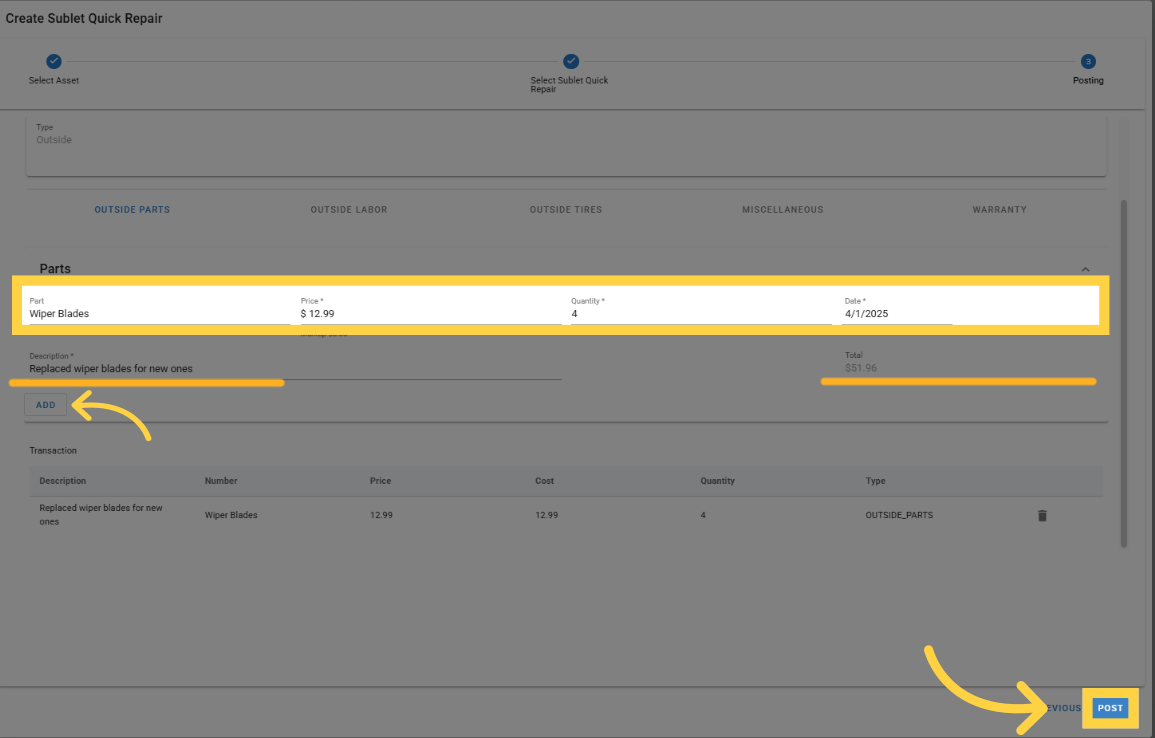
Step 3: Postings
This step differs significantly from in-house repairs
The system will allow postings to individual repair lines
Users can mimic outside postings directly within the modal
Each posting can be assigned to a specific repair line
Instead of standard repair "Lines," Quick Repair Lines will be used to differentiate sublet jobs
The Work Order Number will appear in a pop-up message after posting

Troubleshooting: entry posted but the work order shows $0.00
The Item value on a sublet posting is limited to 25 characters - it is stored as the posted item number on the work order. The Description field can be longer.
If a Sublet Quick Repair entry appears to succeed but the created work order shows $0.00 or has no postings, check whether the Item value was longer than 25 characters. The work order is still created, so:
Void or otherwise correct the affected work order.
Re-run the Sublet Quick Repair with an Item value of 25 characters or fewer.
Repeated $0.00 work orders with short Item values are a data issue to raise as an RTA case - have the work order numbers and the Item values used ready.