
Manage Part Link Options Table of Contents
This section will discuss the Manage Parts options.
By using the “Manage Part” link on the Part Primary Info banner in RTA you will have the following options available, depending on your permissions and your company’s setup:
Copy Part
Transfer Part
Renumber Part
Merge Part
Delete Part (the Remove button at the bottom of the panel)
Parts can be modified using the “Manage Part” link in the top right corner of the Parts File
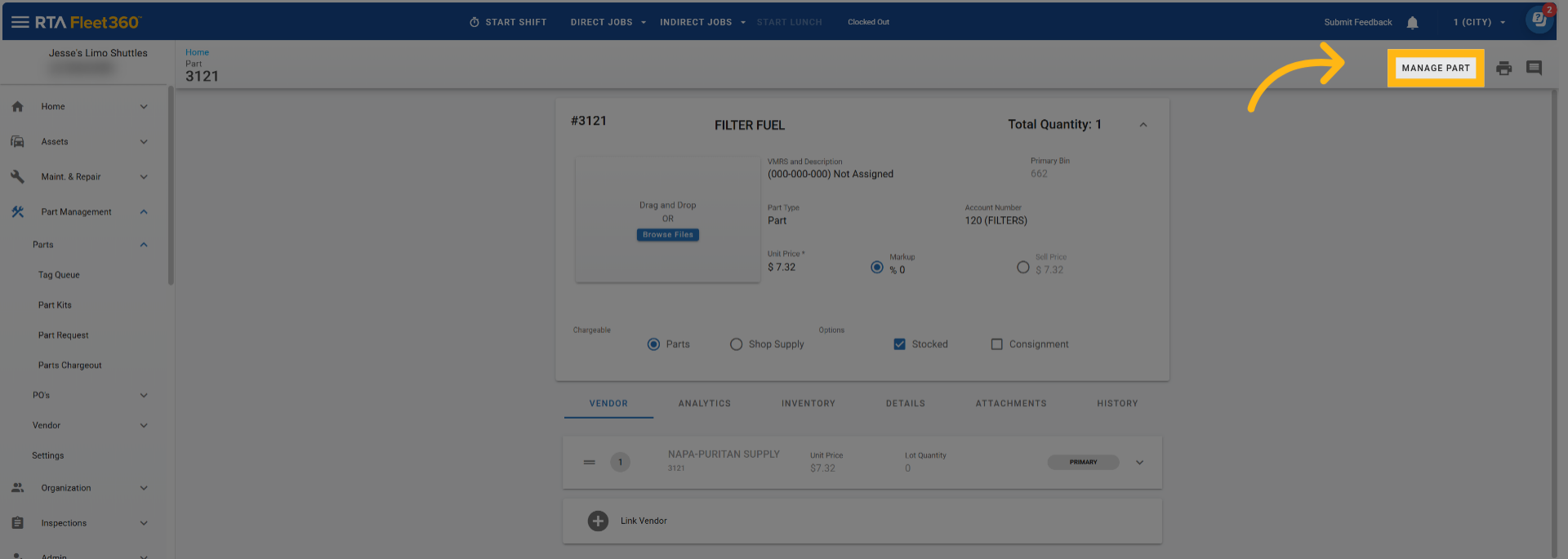
Click “Manage Part”
A side panel will open up which will present you with several Part Utility Options
Merge Parts Option
Delete Part Option – Deleting a Part File
Copy and Transfer work together. A transfer moves quantity between two part records that already exist, so the receiving facility must already have a part record with the same part number or it will not appear in the TO: Facility list. Use Copy Part to create the part in that facility first. See Transfer Parts and Copy Part Files.
Manage Part link missing or an option is unavailable
The Manage Part link and each option inside it depend on two things: your user group’s Parts permissions for the part’s facility, and which Manage Part features are enabled for your company. Use this table when the link is not there or an option is greyed out.
Symptom | Why | What to do |
|---|---|---|
The Manage Part link is not on the Part page at all | Your user group does not have Update Parts for the facility the part belongs to, or none of the Manage Part features (Renumber, Merge) are enabled for your company. | Ask your administrator to check Update Parts under Parts Management for the correct facility in User Group Maintenance. If the permission is there and the link is still missing, contact RTA Support to confirm which Manage Part features are enabled for your company. |
Copy and Transfer are not listed in the panel | The Copy & Transfer feature is not enabled for your company. | Contact RTA Support. |
Merge is not listed in the panel | Merge needs Update Parts and Delete Parts for the part’s facility, and the Part Merge feature must be enabled for your company. Merge is not offered for part kits. | Ask your administrator to check both permissions for the facility; if both are granted, contact RTA Support about the feature. |
Renumber is listed but the Renumber To field is greyed out | Either you do not have Update Parts for the part’s facility, or this is a centralized part at a child facility and the same part number also exists at the master parts facility. Child records that come from the master cannot be renumbered locally. | For centralized parts, open the part at the master parts facility and renumber it there; the change flows to the child facilities. Otherwise have the permission checked. |
The Remove button is greyed out | Your user group does not have Delete Parts for the part’s facility. | Ask your administrator to grant Delete Parts for that facility, or ask someone with the permission to delete the part. |
The Save/Apply button is greyed out | You do not have Update Parts for the part’s facility, or (Merge) the part selected to merge into is the same part. | Have the permission checked, or pick a different part to merge into. |
Transfer: the facility I want is not in the TO: Facility list | Only active facilities you have access to that already have a part record with the same part number are listed. | Use Copy Part to create the part at that facility first, then transfer. |
Permissions are set per facility. A user can have Update Parts at one facility and not at another, so the Manage Part link can appear on some part records and not others. Feature availability (Renumber, Merge, Copy & Transfer) is company-wide and is set up by RTA; if an option you expect is missing after the permissions have been confirmed, contact RTA Support.
Centralized parts: Manage Part on a part at a child facility
If your company uses Centralized Parts, one facility is the master parts facility and the other facilities are child facilities that receive their part records from it. This is the most common reason Manage Part “does not work” even though the user has the right permissions: the user is looking at the part in a child facility.
How to tell: the facility on the part record is not your master parts facility, and the part’s master-synced fields (description, VMRS, type, account number, order units, classification, manufacturer) are read-only.
At a child facility | What happens | Do this instead |
|---|---|---|
Renumber | The panel opens on Copy instead of Renumber, and when you select Renumber the Renumber To field and the Renumber Vendor Part Number checkbox are greyed out. The part number is owned by the master record, so it cannot be changed from the child. | Switch to the master parts facility, open the same part number there and renumber it. The new number is applied to every child facility that carries the part. |
Copy / Transfer / Merge / Remove | Available at the child facility as usual, subject to the permissions and features above. They act on the child facility’s own record and quantity. | No change needed. |
Orphan child part | A part that exists only at the child facility (no matching part number at the master) is not locked: Renumber To is editable and all fields can be changed. | Renumber it at the child facility if needed. |
Quick check for Support and administrators: when a user reports “Manage Part is greyed out” and their permissions look right, first confirm which facility they are working in. If it is a child facility under Centralized Parts, have them change to the master parts facility and try again.
Refer to User Group Maintenance.
Refer to User Permission Definitions Chart.
Refer to Transfer Parts for the TO: Facility rules.
Refer to Deleting a Part File.
Refer to Centralized Parts Table of Contents for how master and child facilities are set up.