Recurring Charges Settings
Recurring charges for assets in your fleet are ongoing cost associated with operating and maintaining assets. These charges can include lease/ loan payments, telematics subscriptions and regulatory fees just to name a few. Proper tracking of these recurring expenses is essential for budgeting and cost control.
Setting up a Recurring Charge in Bulk
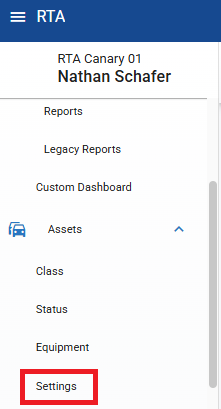
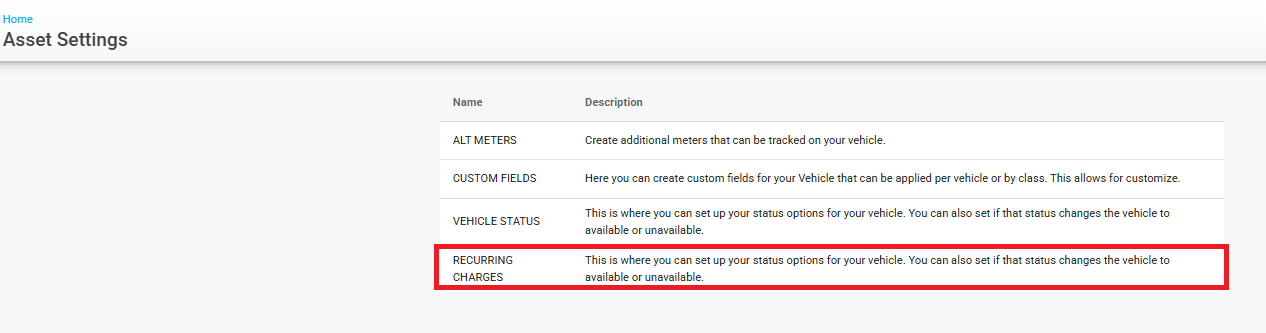
From the main menu, Assets>Asset Settings>Recurring Charges
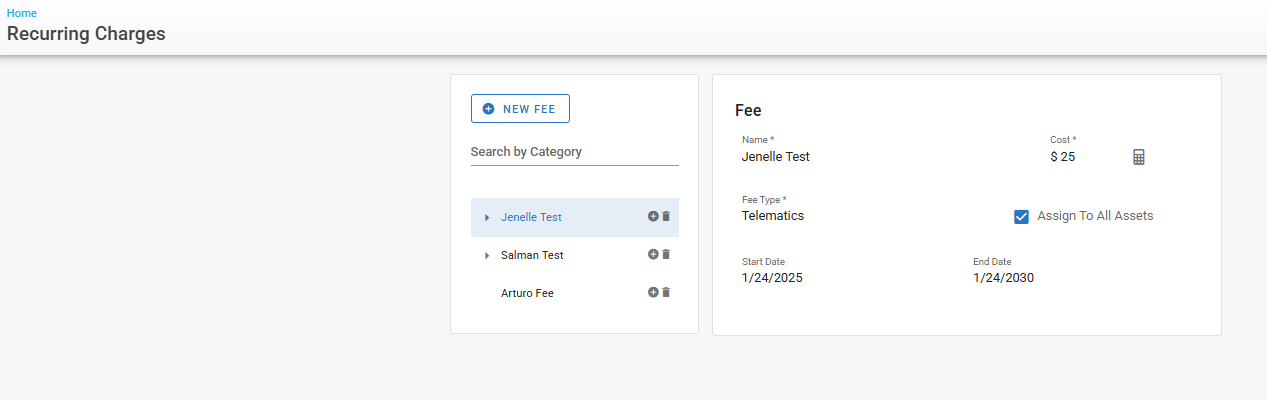
Here you will see any “Fees” already set up
Click “New Fee” to add a new Recurring Charge
Adding a Standard Fee:
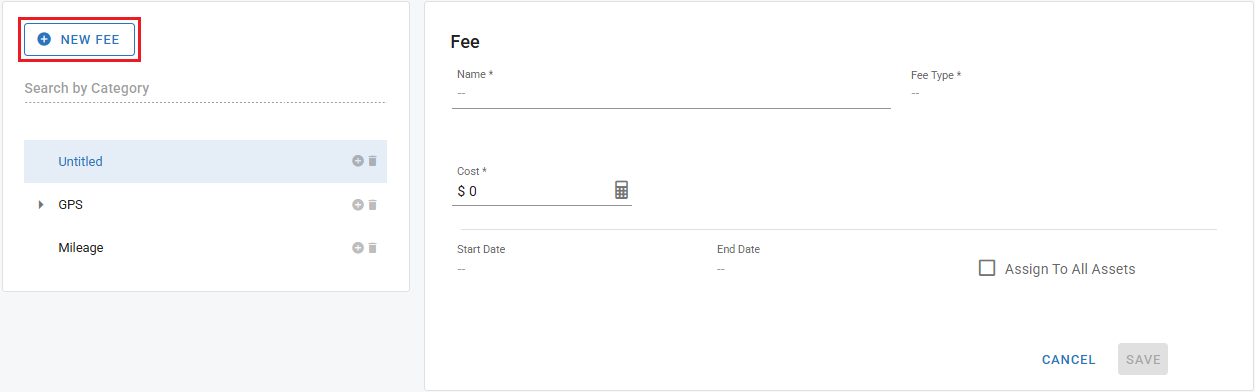
Fill in the form
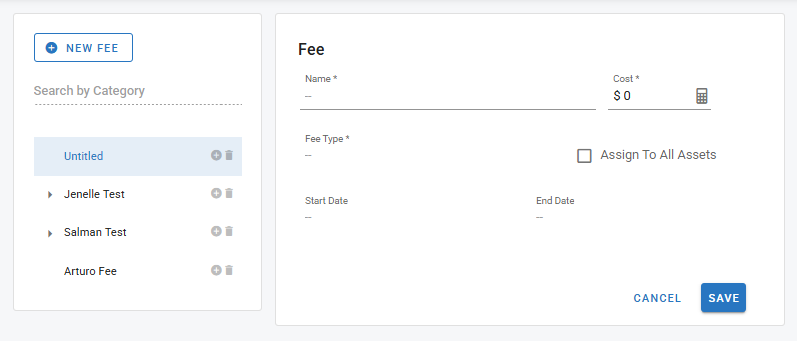
5a. Fee Name
5b. Monthly Cost
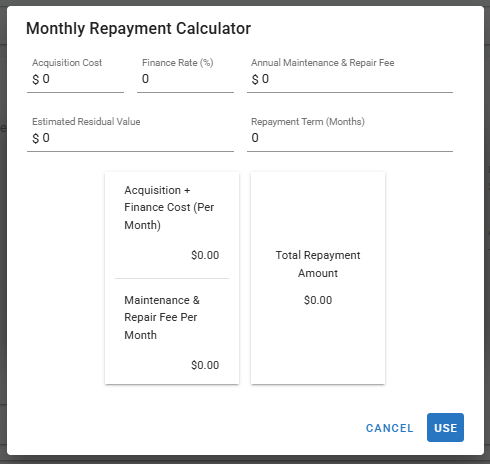
The calculator in the top right is a payment calculator to assets in determining the appropriate repayment schedule for an asset
5c. Choose a fee type from the drop down (These are not currently editable)
Standard Fee types:
Lease
M&R
Replacement
Telematics
Fuel Card
Admin
Special Fee Type: (See Mileage Fee Section below)
Mileage
5d. Click assign to all assets or leave blank to assign from an asset list
5e. Choose a Start and Stop date
5f. Click Save
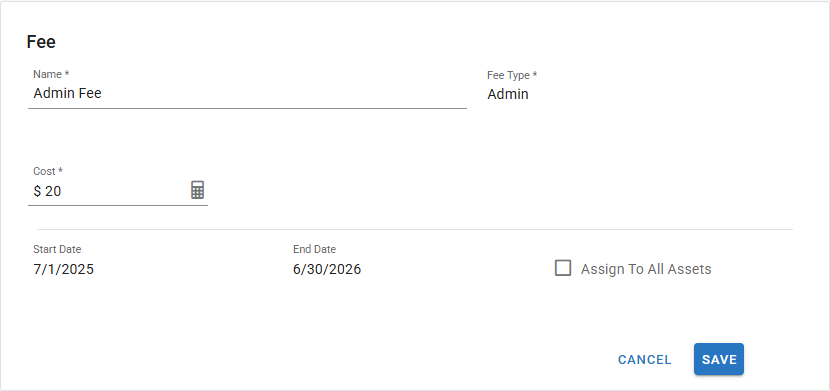
Admin has now been added
Adding a Mileage Fee:
There is a Fee Type called "Mileage" has been added to Recurring Charges. This allows fleets to bill assets based on how many miles (or primary meter units) they travel during a billing period, rather than a fixed flat fee.
How it works: When setting up a New Fee and selecting the "Mileage" fee type, users will see additional fields:
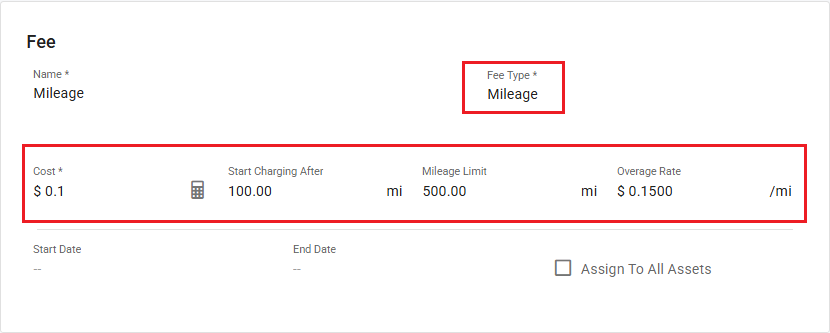
Base Cost per Mile/Hour — the per-unit cost applied to usage above the start threshold
Start After (Miles/Hours) — a free mileage/hours amount; charges only kick in after this value is exceeded
Mileage/Hours Threshold — the cutoff where the overage rate takes effect
Overage Rate — a higher per-mile rate applied to any usage above the threshold
Example:
Base rate: $0.10/mile-hour
Start after: 100 miles-hours
Threshold: 500 miles-hours
Overage rate: $0.15/mile-hour
In this case, miles/hours 0–100 are free, miles/hours 51–500 are billed at $0.10/mile-hours, and anything over 500 miles/hours is billed at $0.15/mile-hour.
Important notes:
Usage is calculated from the asset's beginning and ending primary meter readings for the billing period, processed during end-of-period.
If an asset doesn't exceed the start-after value, no mileage charge is applied.
If odometer readings are missing or invalid, mileage fees are skipped and flagged for review.
This applies to the asset's primary meter (miles, km, hours, etc.).
All existing non-mileage recurring charges continue to work exactly as before.
Fee Categories:
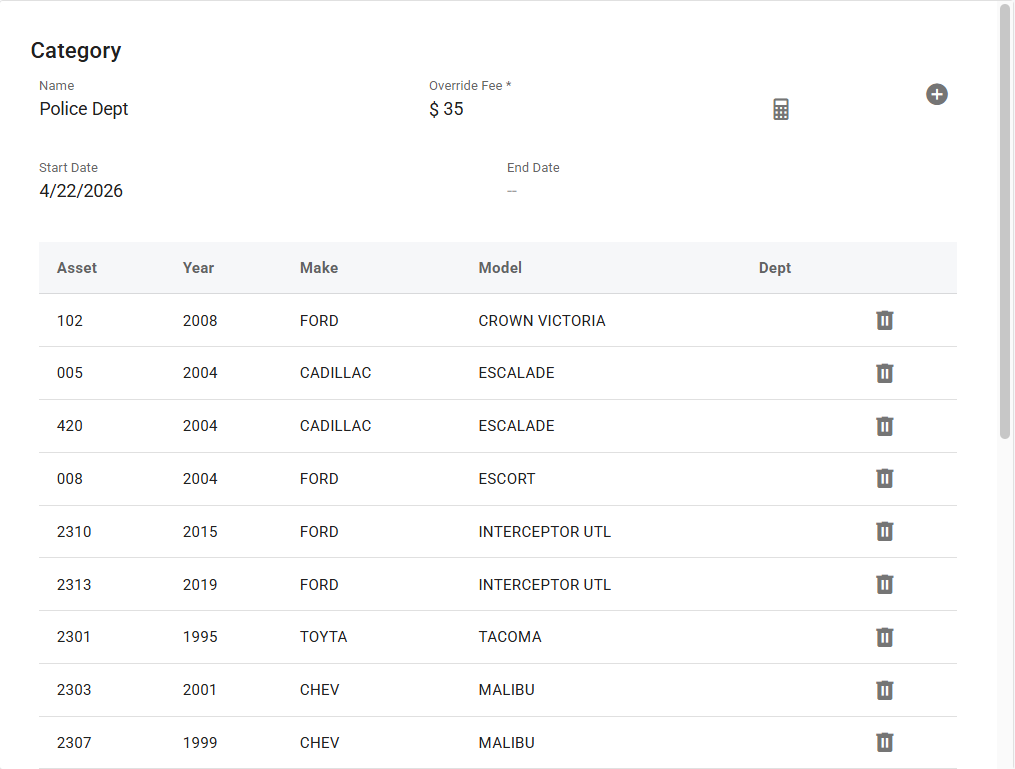
To add this fee to assets from an asset list we need to add the “Fee Category”
Next to the Admin name is a plus sign
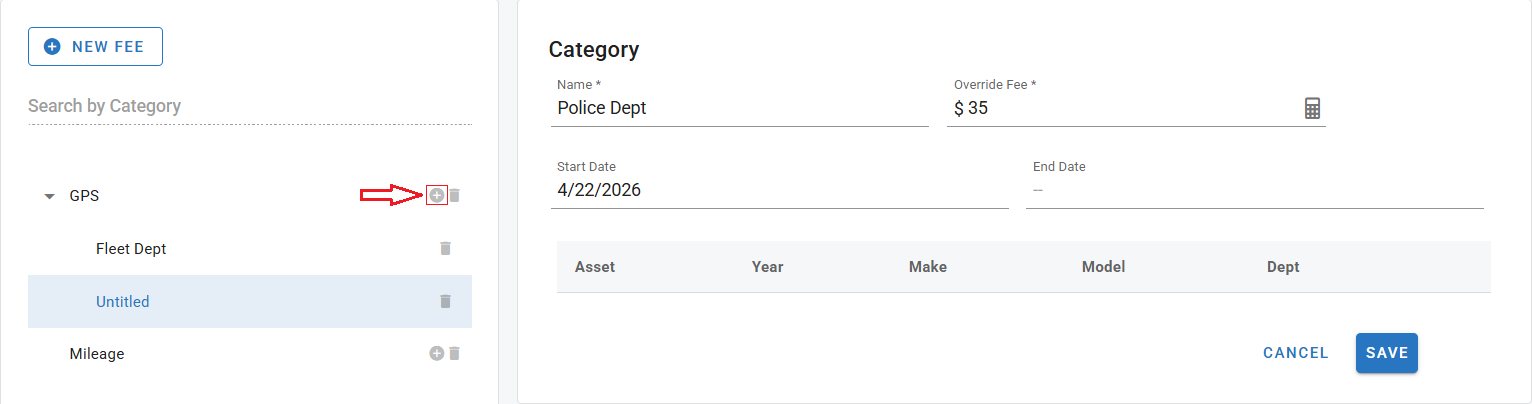
me and decide if you want to override fee from the $35 that was initially set up
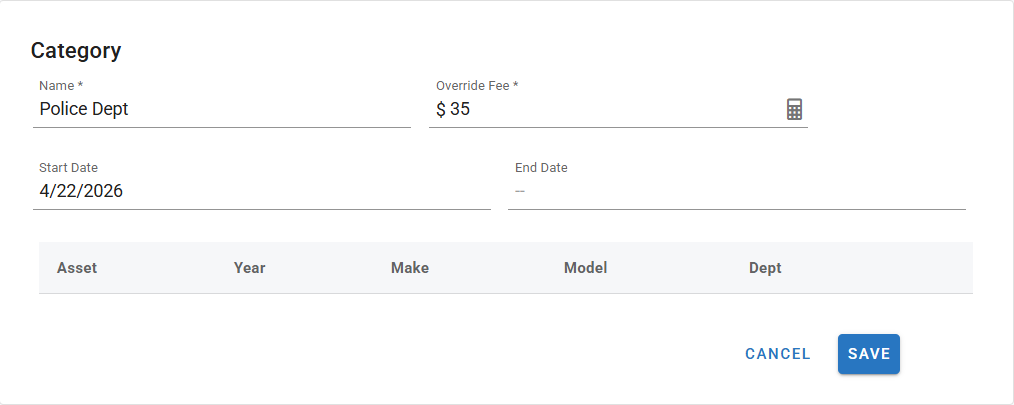
Click “Save”
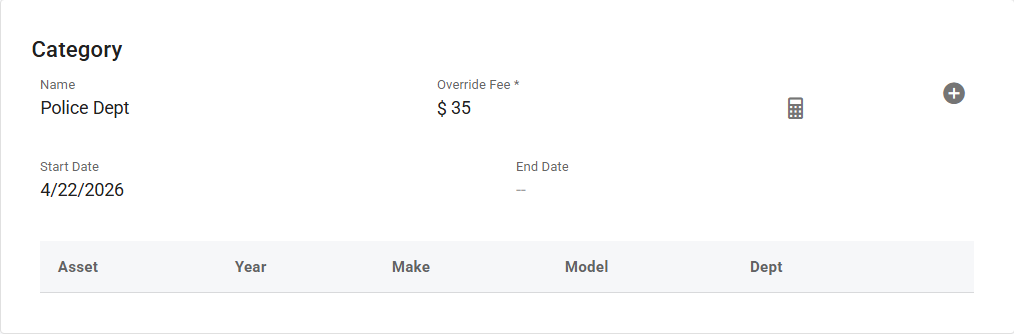
Now click the “Plus” button in the top right to add this fee to assets
Click the box next to each asset this fee should apply to and click add
Add Assets by Category:
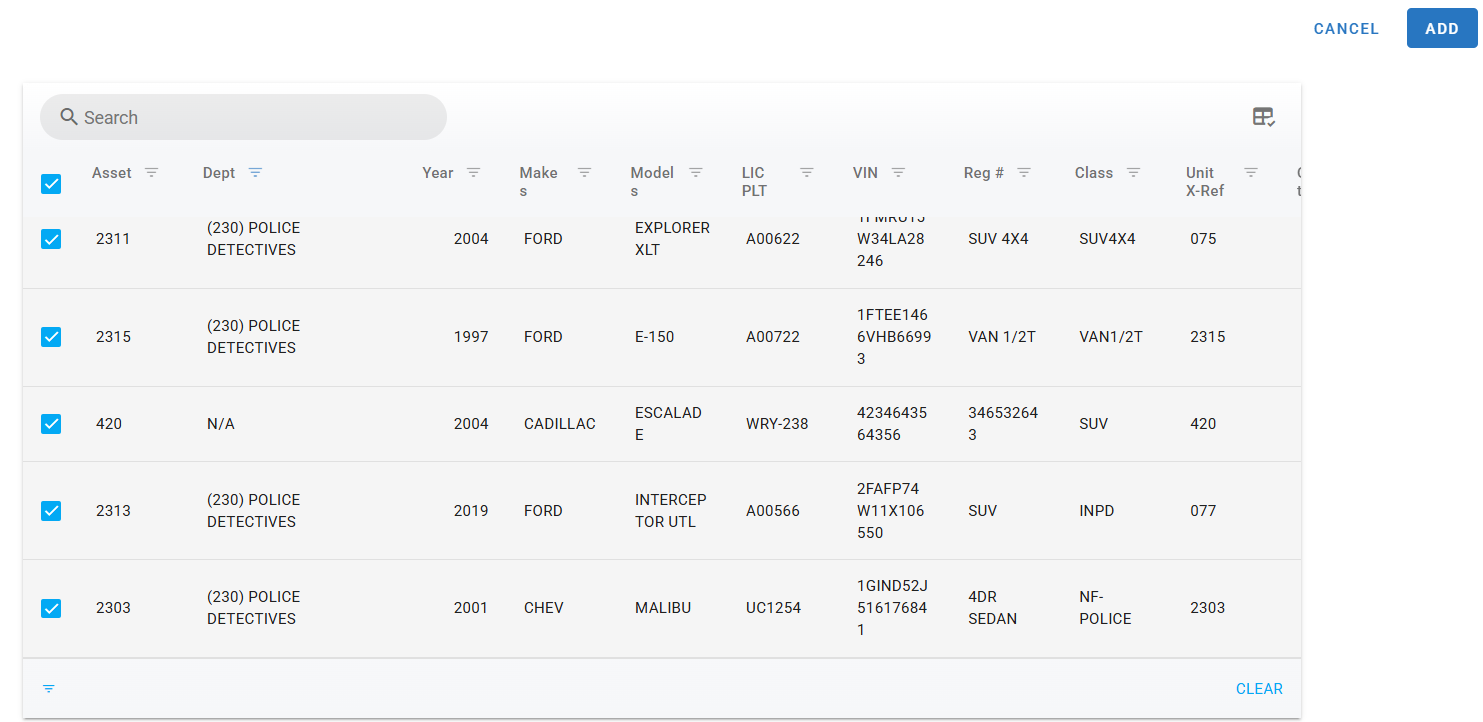
The list of assets is now viewable and can be edited at anytime
Setting up a Recurring Charge to a Single Asset
Click here: How to set up a Recurring Charge to a single asset