
RTA Connect Tile
RTA Connect is RTA’s annual users’ conference: once a year, Fleet360 users get together to experience new ideas, be inspired, and take measurable action. The RTA Connect tile in Fleet360 takes you to the current RTA Connect event page, where you can see this year’s dates and location and register.
Where to Find the RTA Connect Tile
The RTA Connect tile is in the Resources section at the bottom of FleetHQ, the Fleet360 Home page, together with the User Guide, Feedback Portal, RTA Mobile App and RTA Inspect App tiles.

Click Home in the main menu (or the RTA Fleet360 logo) to open FleetHQ
Scroll to the Resources section at the bottom of the page
Click the RTA Connect tile (“Register for our Annual Users’ Conference”)
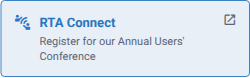
The tile opens the RTA Connect page on the RTA website in a new browser tab. That page always shows the current event - dates, venue, agenda and registration - so check it rather than this article for this year’s details.
If your Home page still shows the earlier Home screen with full-width cards instead of FleetHQ, the RTA Connect card is on that screen and its Learn More button opens the same event page.
Refer to FleetHQ - Start Here for more on the FleetHQ Home page.