Viewing AI Consumption and Usage Management
Viewing AI Consumption and Usage Management
The AI Consumption screen shows how much AI usage has been spent, how much remains, and which users are generating AI requests. Administrators can use this screen to monitor usage and manage additional usage.
Open AI Consumption
To view AI consumption:
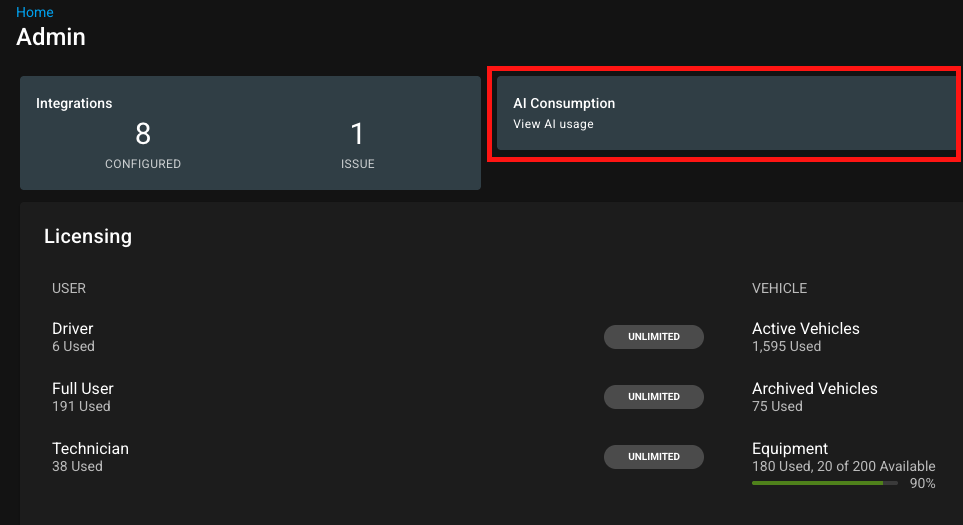
Open Admin in Fleet360.
Select AI Consumption.
Use the month selector to review the current month or a prior month.
AI Consumption is available when AI is enabled and the user has billing/admin access.
Usage tab
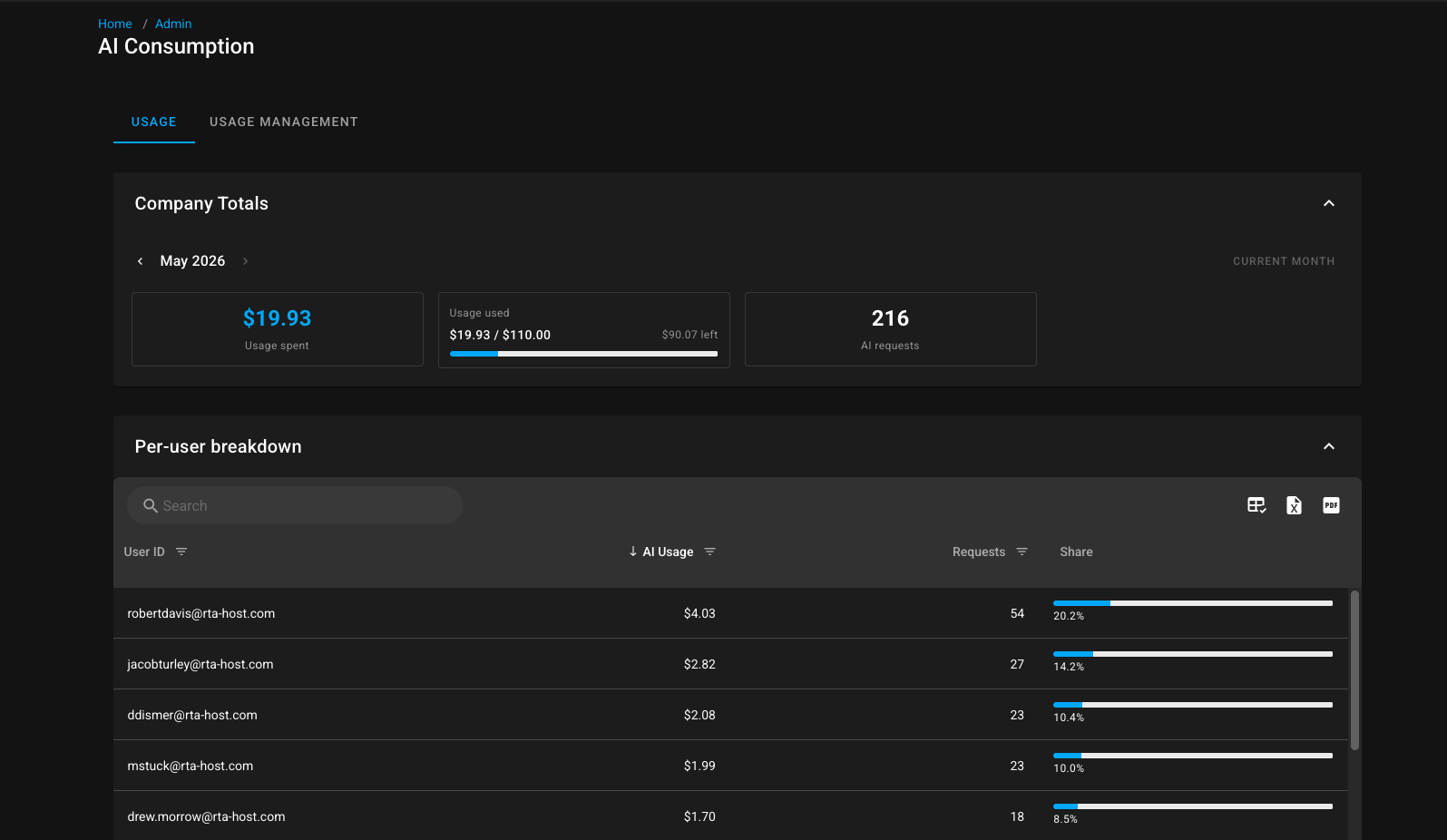
The Usage tab shows company totals for the selected month, including:
Field | Meaning |
|---|---|
Usage spent | Amount of AI usage consumed during the selected month |
Usage used / left | Progress against available usage |
AI requests | Number of AI requests made during the selected month |
The Per-user breakdown grid shows usage by user, including:
User ID.
AI usage spent.
Request count.
Share of total usage.
Click a user row to review that user's AI consumption details when available.
Usage Management tab
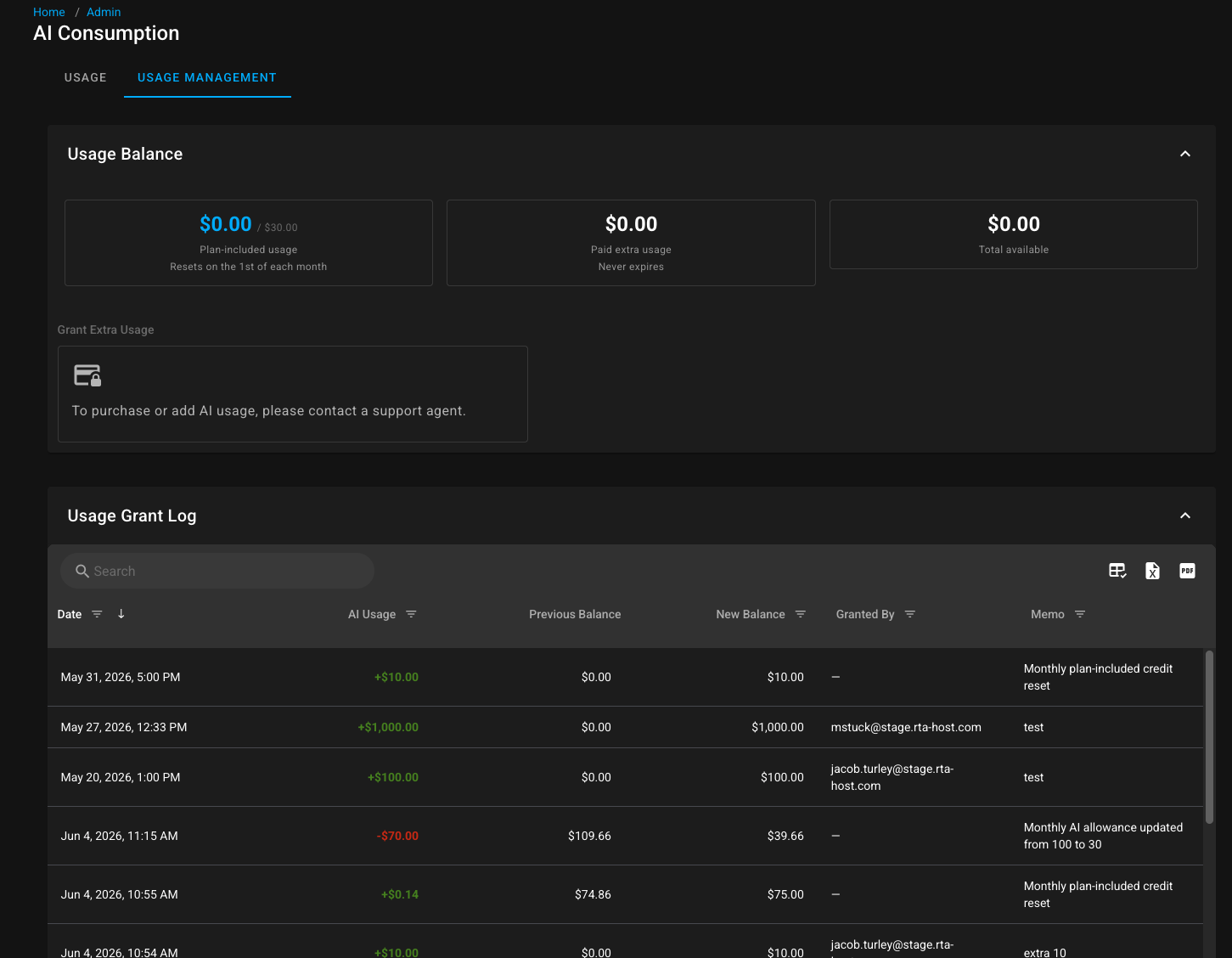
The Usage Management tab shows balance and management options. Depending on billing configuration and user permissions, it may include:
Plan-included usage that resets monthly.
Paid extra usage that does not expire.
Total available usage.
Manual usage grants.
Auto top-up configuration.
Transaction history or grant log.
How AI usage is calculated
Ron360 tracks token usage for each AI response, including input tokens, output tokens, total tokens, model, and calculated usage amount. Knowledge-base-only answers may not consume tenant credits, depending on the agent used.
Usage is logged with the tenant, user, session, prompt, model, token counts, timing, and calculated usage so administrators can review consumption over time.
What happens when usage runs out
When the AI usage allowance is exhausted, users cannot submit new AI requests. Ron360 displays a message telling the user to contact an administrator to add more usage.
Administrators can review the AI Consumption screen and add usage through the available usage-management options.

Notes
Plan-included usage resets on the first day of each month.
Paid extra usage never expires.
Auto top-up can add usage automatically when remaining usage falls below the configured threshold, if enabled for the tenant.
Usage visibility and management actions require the correct admin/billing permissions.