Use Time Blocks For Service Requests
Maint. & Repair>Settings>Use Time Blocks For Service Requests
When time blocks are created for bays in the shop scheduler, only those time slots that are available will be able to be selected when requesting service through the service request tool. Instead of getting a first and second option, they will only see available time slots to choose from. Otherwise, they can select an option for anytime.
To turn this setting on follow the below steps:
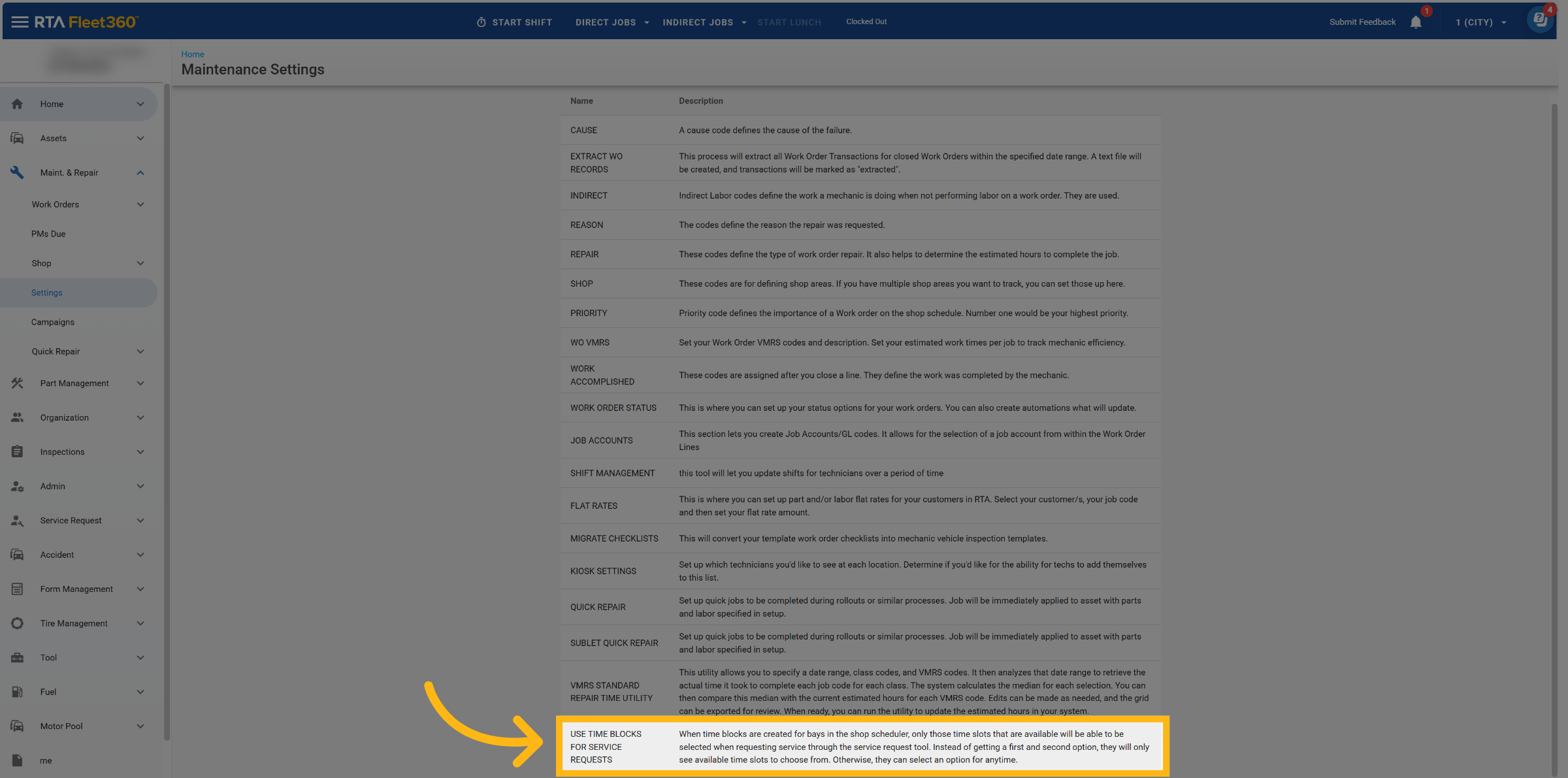
Go to Maint. & Repair → Settings
Find “Use Time Blocks For Service Requests” settings, click on it.
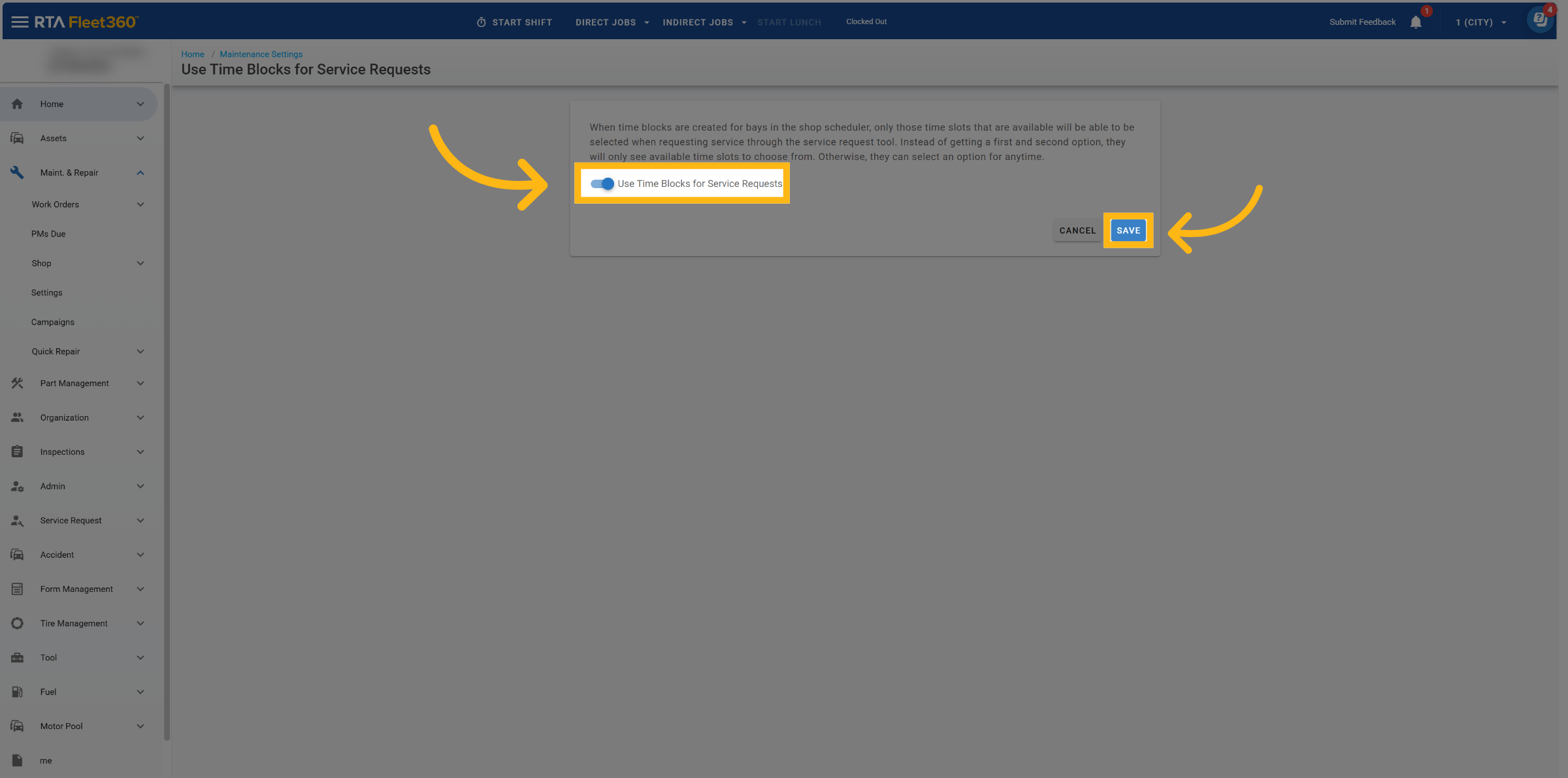
Once in setting, click on toggle to use time blocks for service requests, then click save to activate.
What this does:
Customers requesting service will see available time slots only
The traditional “First Choice / Second Choice” date options are replaced with a Time Slot selector
An Anytime option remains available for flexibility