Giving Access to Ron360
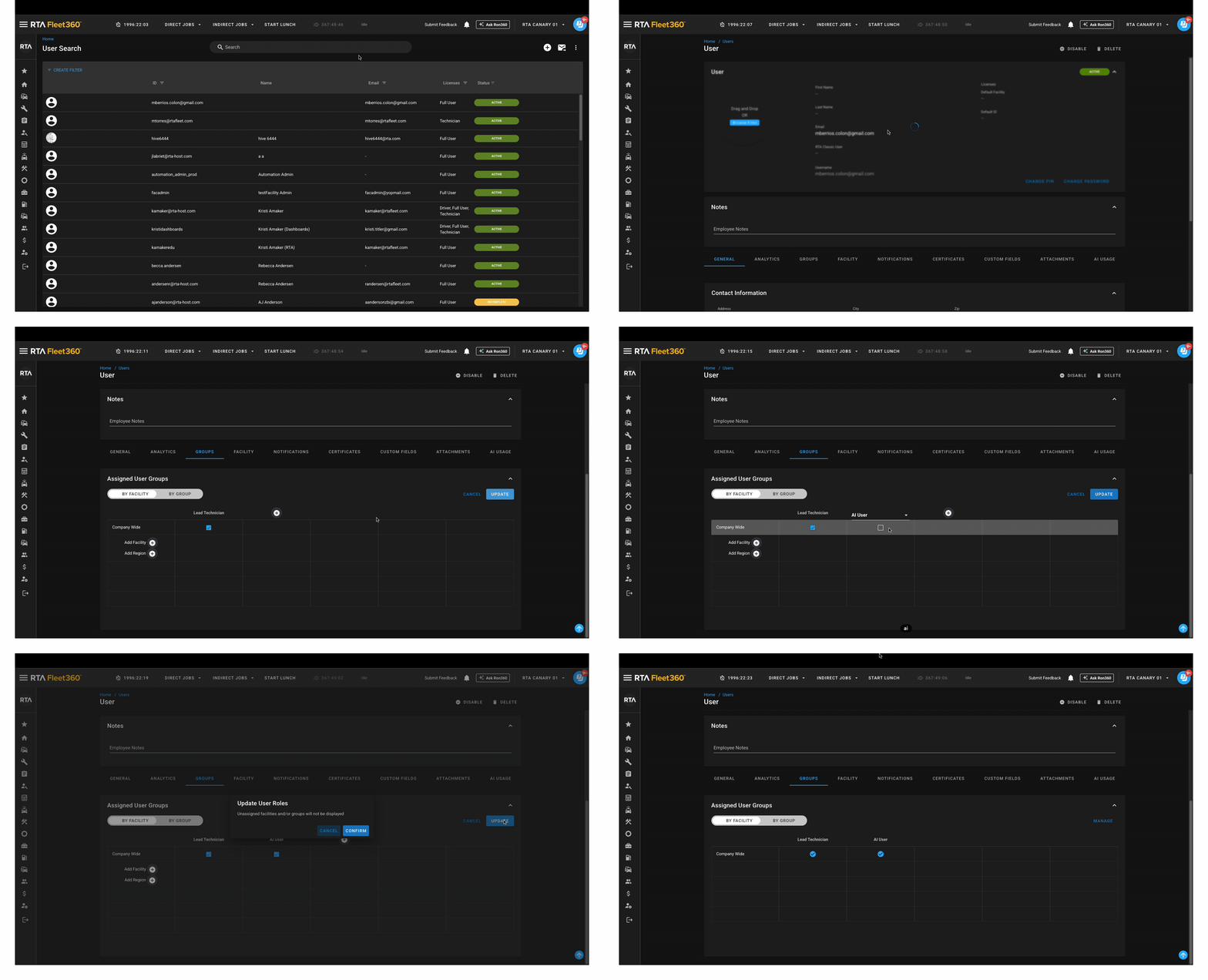
Access to Ron360 is controlled by the AI Use permission. To give a user access, an administrator can go to the Users screen, open the user’s profile, and add the out-of-the-box AI User user group for the appropriate facility/tenant. This group grants the required AI Use permission required to use Ron360.
Two ways to grant AI Use
Add the out-of-the-box AI User group to the user’s profile (described above). The built-in Admin group also carries the permission.
Or tick AI Use directly onto a custom user group in the Standard User Groups grid — the permission is assignable, so companies with their own groups don’t need to add a built-in group on top.
The AI Usage tab on the user profile shows the company’s monthly token allotment and how much has been used.