Accident Default Cost
Accident Default Section Overview
The Accident Cost Tracking feature in Fleet360 allows you to record, manage, and report on all costs associated with an accident, directly within the accident record.
This provides a centralized location to track expenses such as towing, storage, repairs, subrogation, and other related costs, giving your organization greater visibility and control over accident-related spending.
How to Access
Click on Accident
Click on Settings
Click on Accident Default Costs
What Are Default Costs?
Default costs allow you to predefine common accident-related charges such as:
Towing
Storage
Administrative fees
Subrogation
External repairs
These can be automatically added to accident records to ensure consistency and completeness.
Adding a Cost
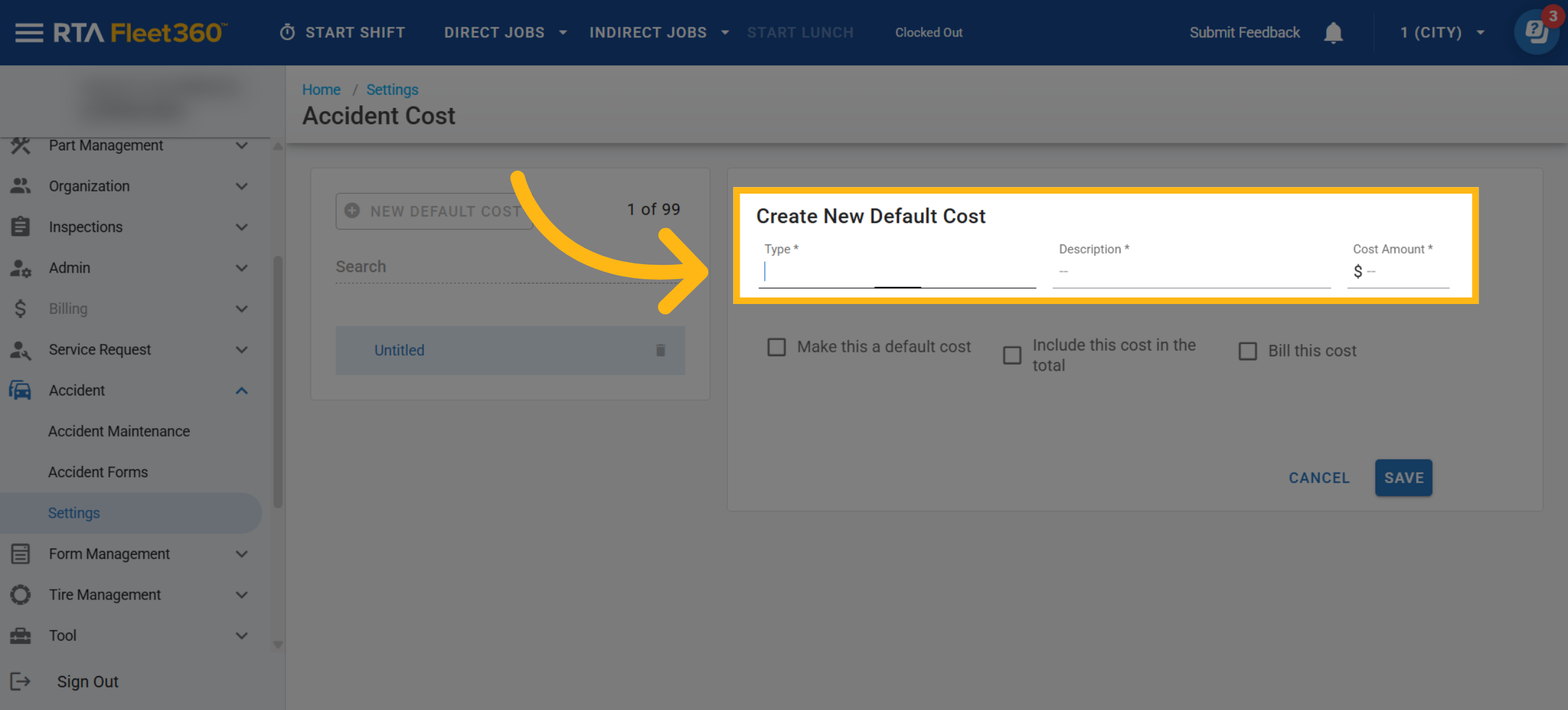
Click New Field
Enter the type, description and cost amount
Type - Category of the cost (used for organization and reporting)
Description - Name of the cost (e.g., Tow Fee)
Cost Amount - What the cost is
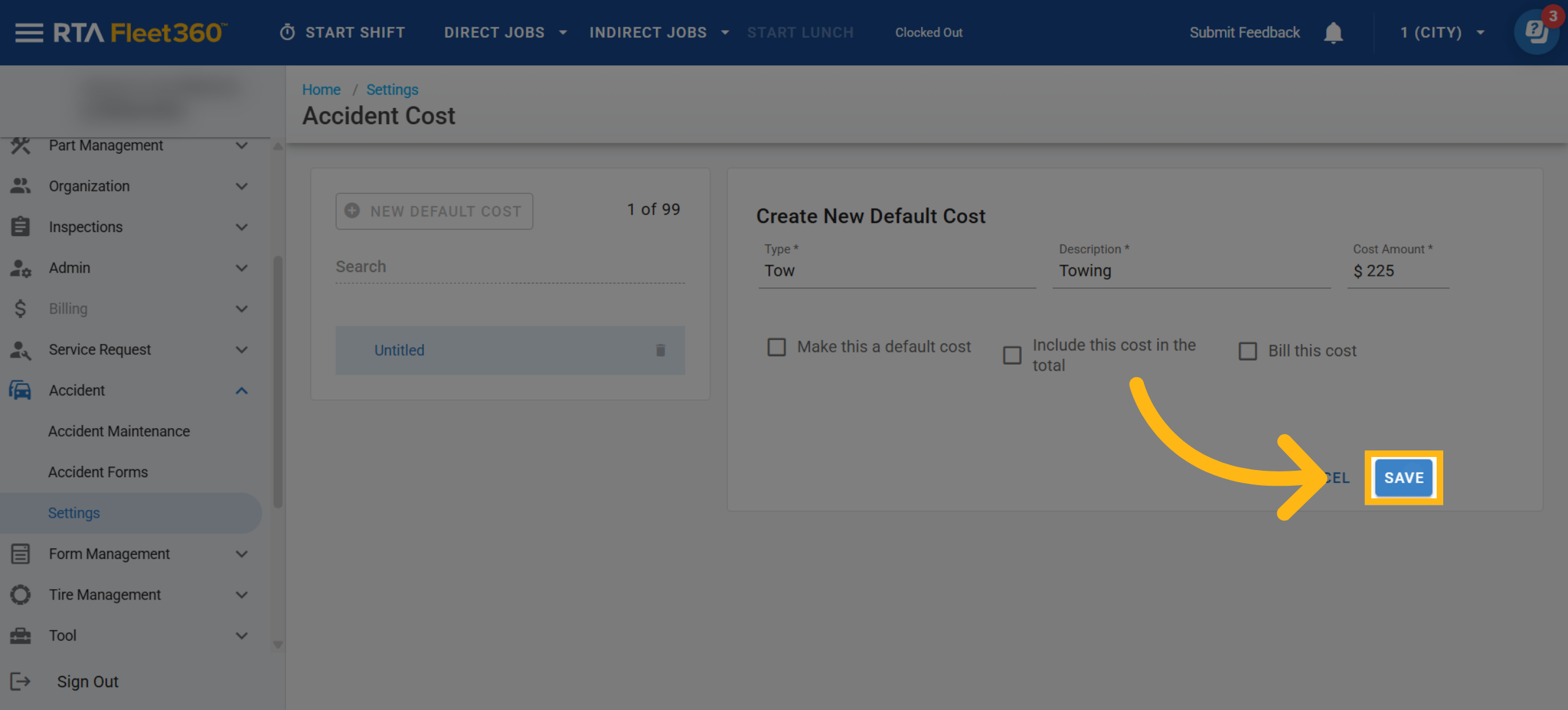
Click Save
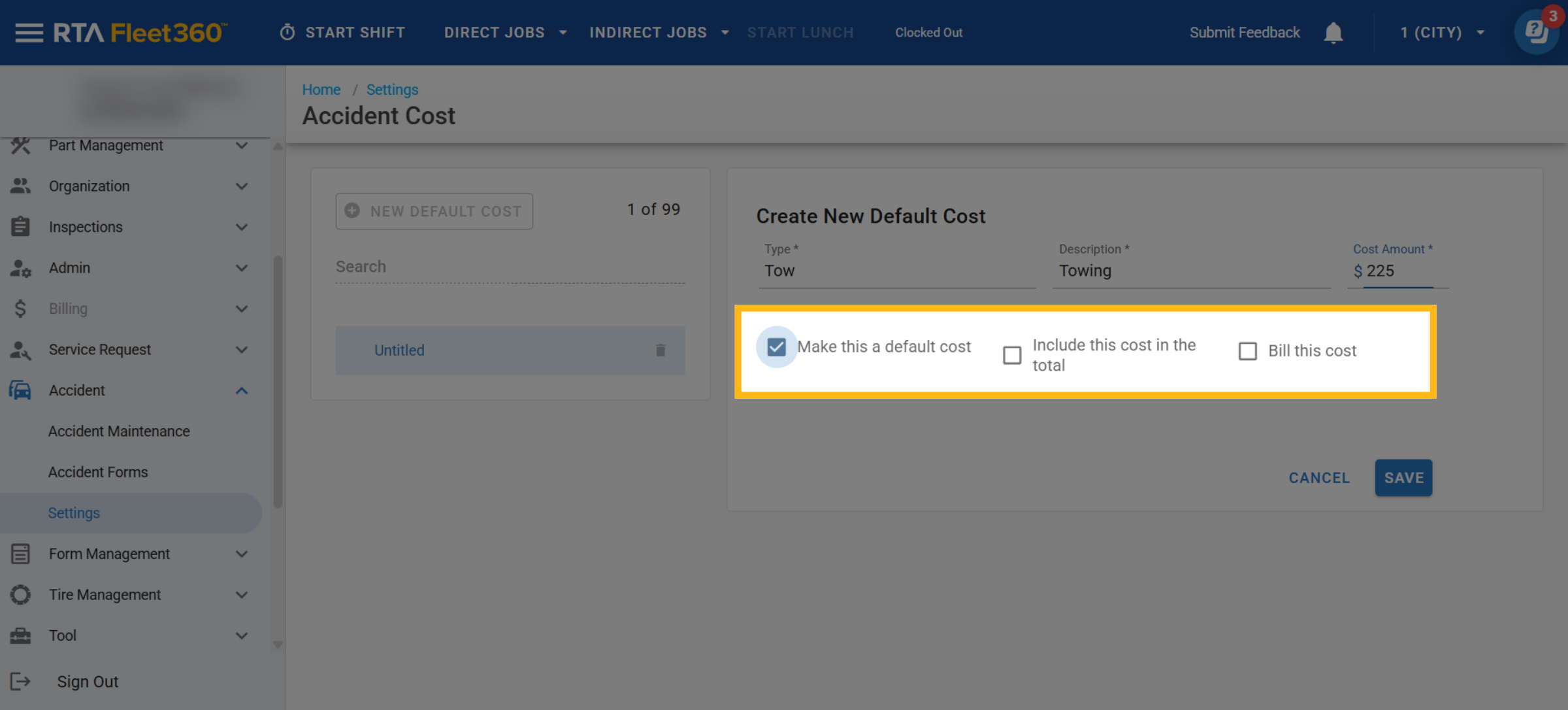
Default Cost Options
Check one of the following (Optional)
“Make this a default cost” - Checking this box will make this cost appear on all accident files automatically.
“Include this cost in the total” - Determines if this cost is included in the accident total.
“Bill this cost” - Marks the cost for billing purposes.
Editing Accident Default Cost
Various edits can be made to the default costs in the list. Simply access the list, click on a field and make edits to the Type, Description, and Cost Amount. Also, the ability is there to change the default cost options at anytime.
Deleting a Default Cost
To permanently delete a created default cost, access the list, find the appropriate field, and click the delete (trashcan) icon to remove it.