Motor Pool Recurring Reservations
Recurring reservations allow you to automatically create repeating motor pool reservations on a daily, weekly, or monthly schedule. This is ideal for departments or customers who reserve vehicles on a consistent cadence and want to avoid manually recreating reservations each time. This feature is included with Platinum Tiers and up.
Configure the Recurrence Schedule
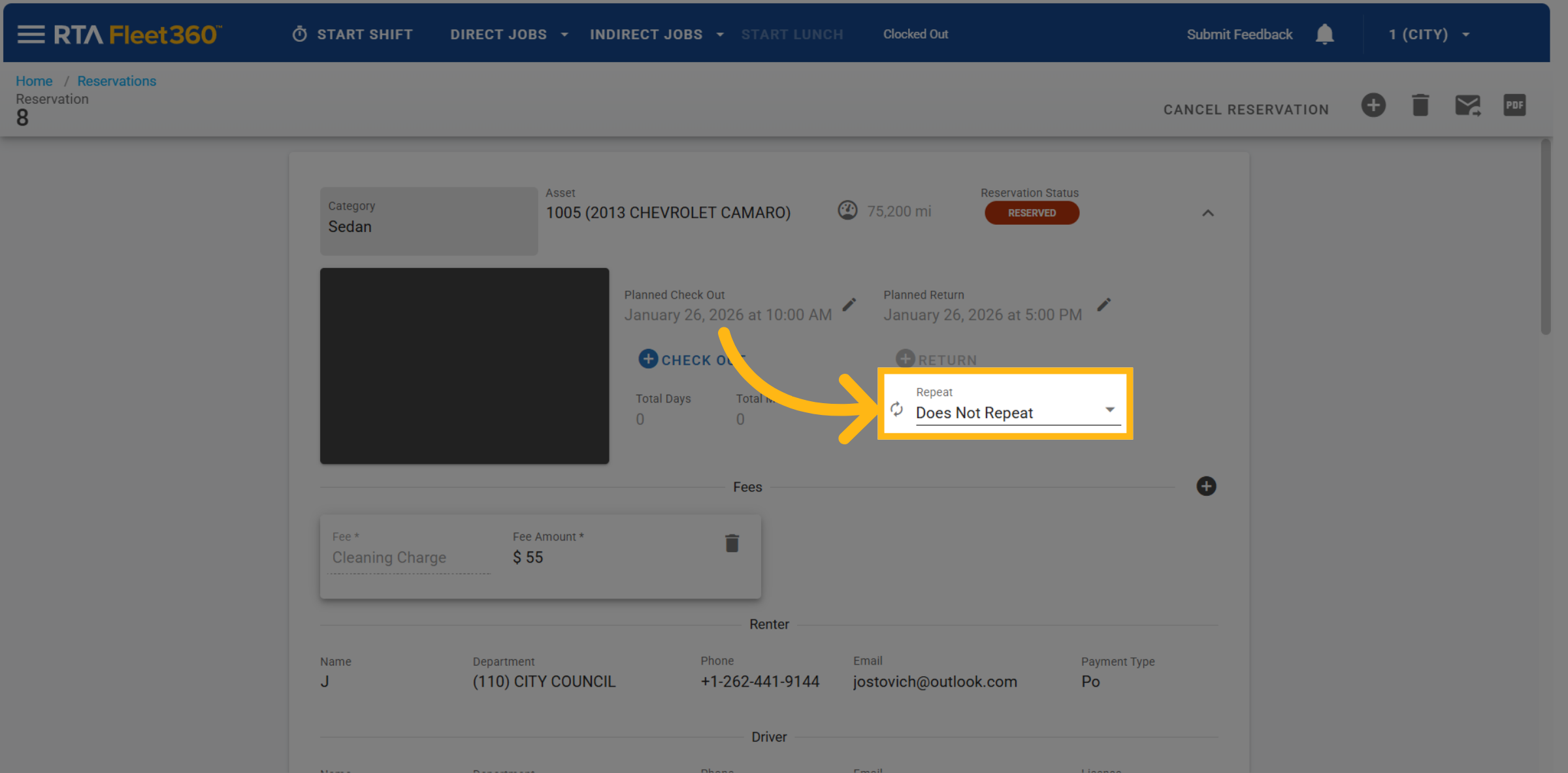
On the reservation screen, locate the Repeating dropdown and click on it.
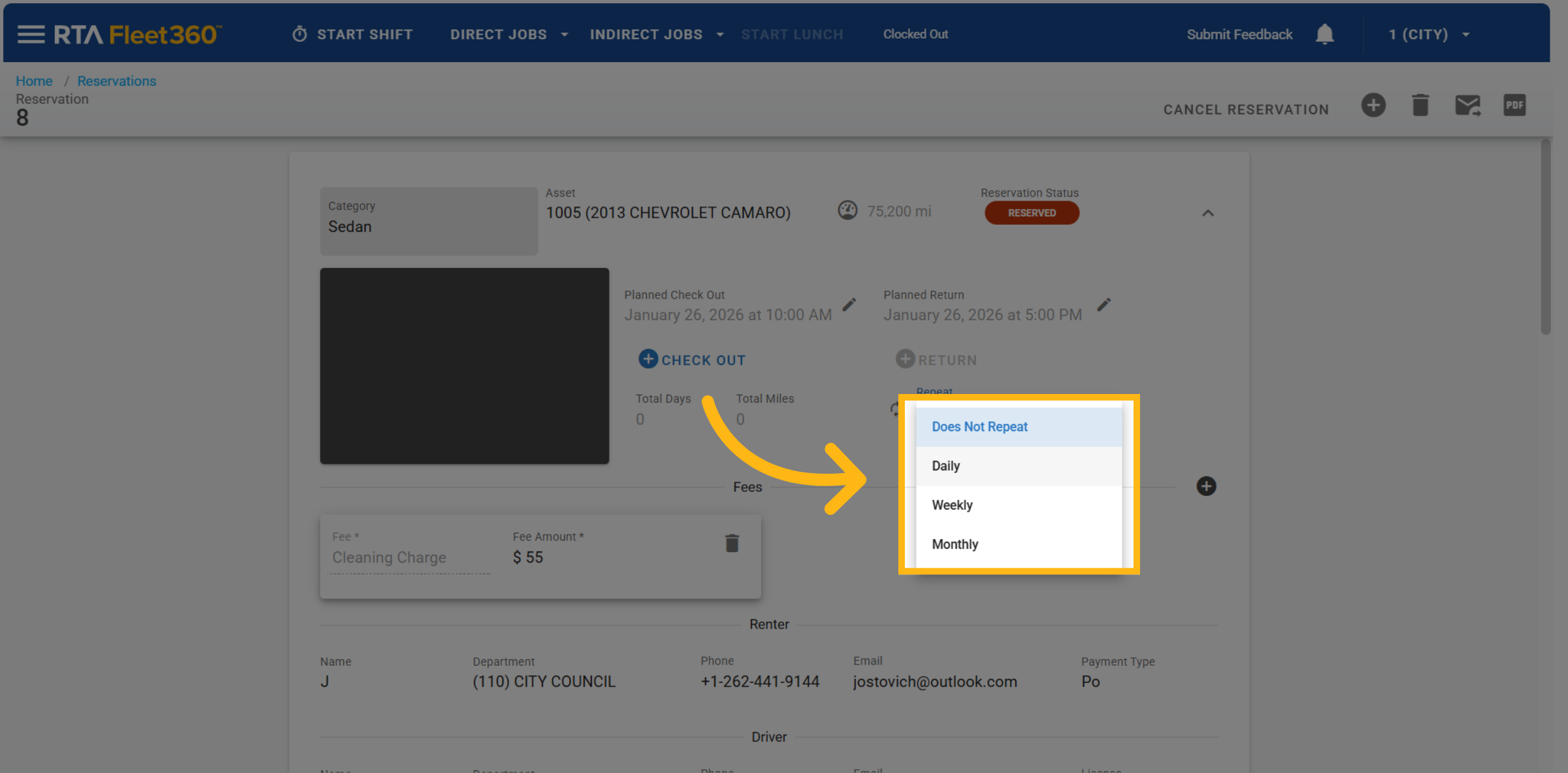
Choose one of the following options:
Does Not Repeat
Daily
Weekly
Monthly
Daily Recurrence
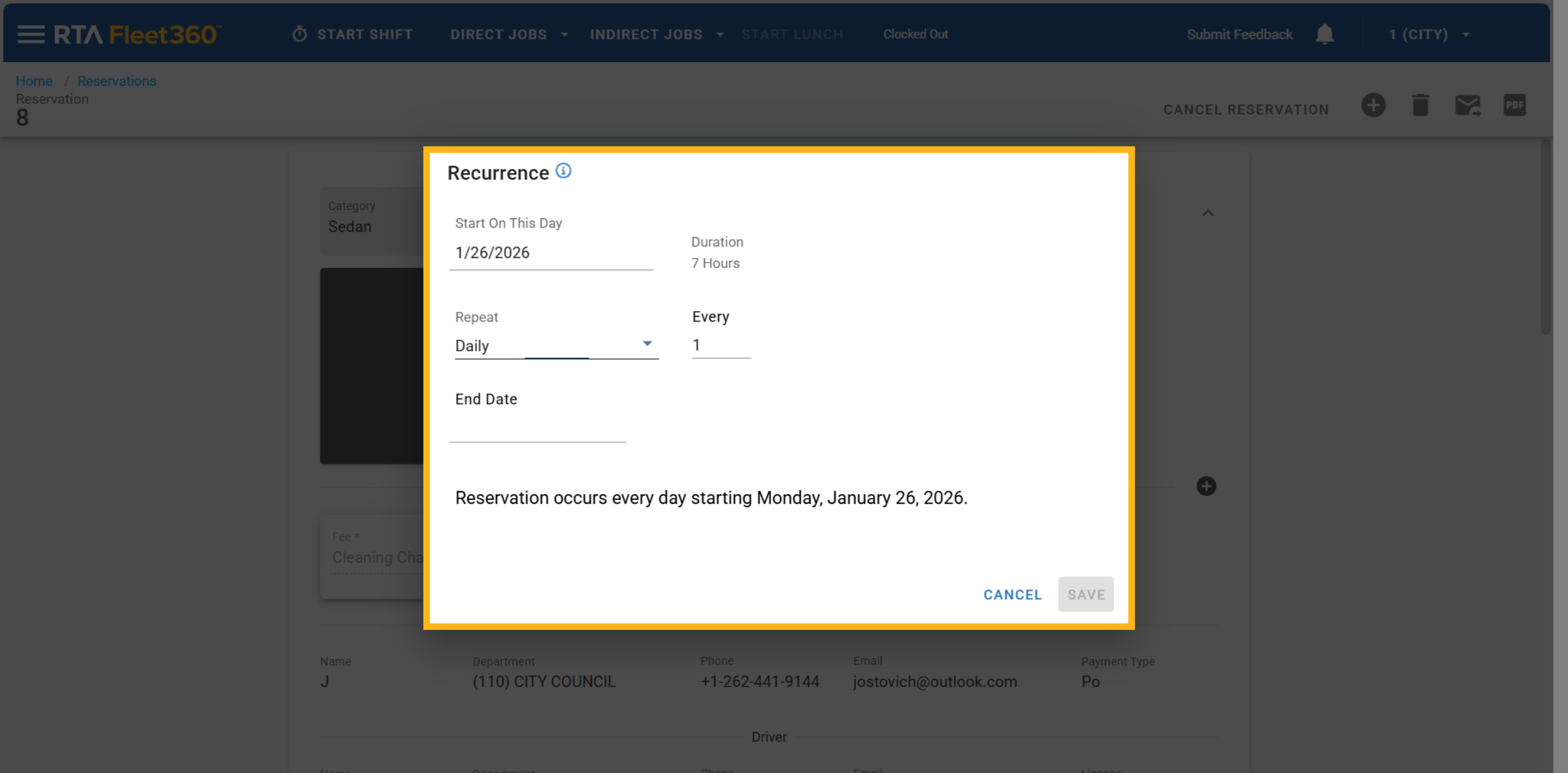
Daily reservations automatically repeat every day.
To select specific days of the week, switch to a Weekly recurrence.
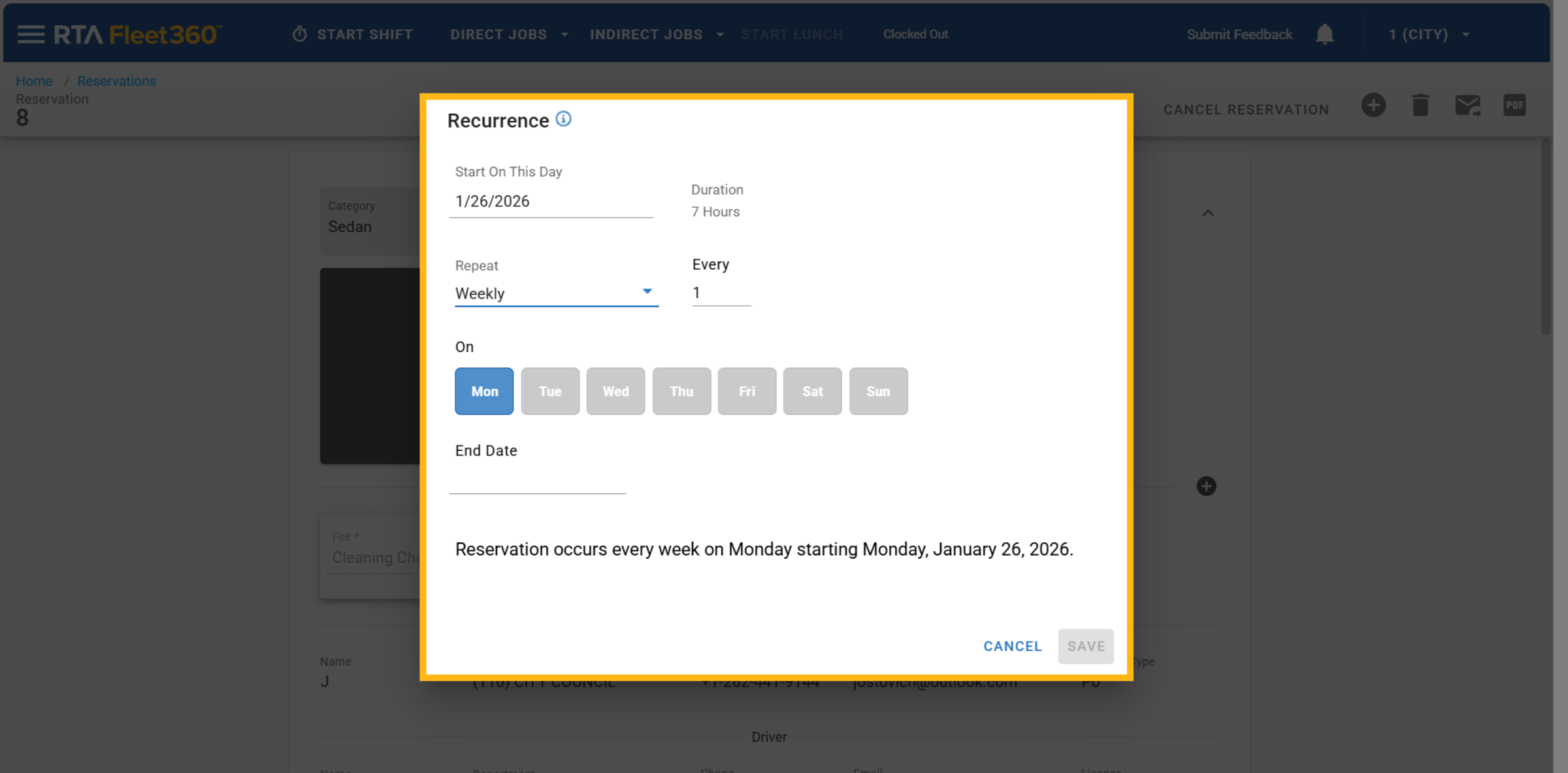
Weekly Recurrence
Select Weekly.
Choose which days of the week the reservation should repeat (Monday–Sunday).
Only the selected days will generate reservations.
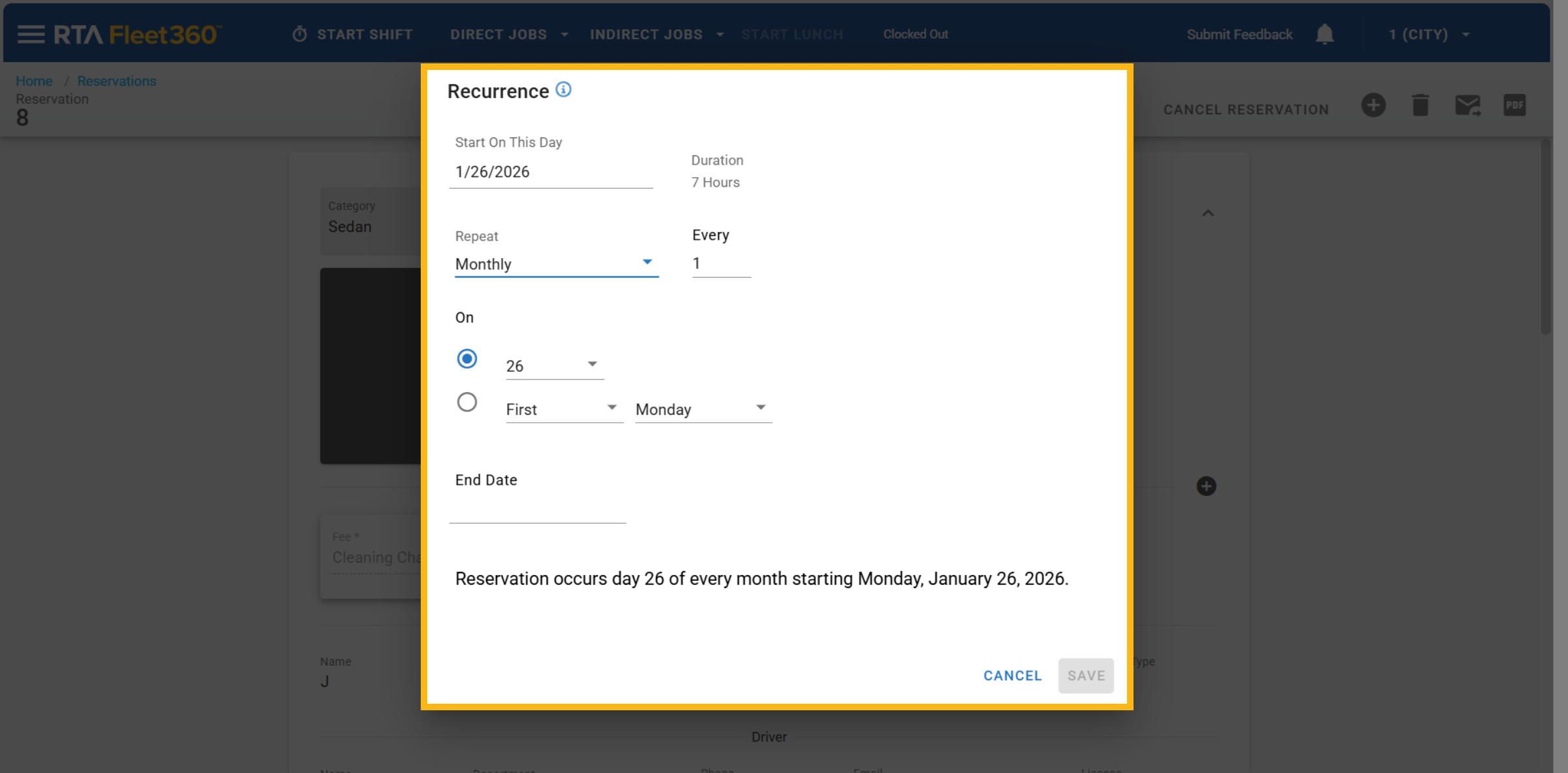
Monthly Recurrence
When Monthly is selected, choose one of the following options:
Option 1: On a Specific Date
Example: “On the 5th”
The reservation repeats on the same date each month.
Available options: days 1–31.
Option 2: On a Patterned Day
Example: “On the First Wednesday”
Based on the selected start date.
Options include:
First, Second, Third, Fourth, or Last
All days of the week
First day or last day of the month
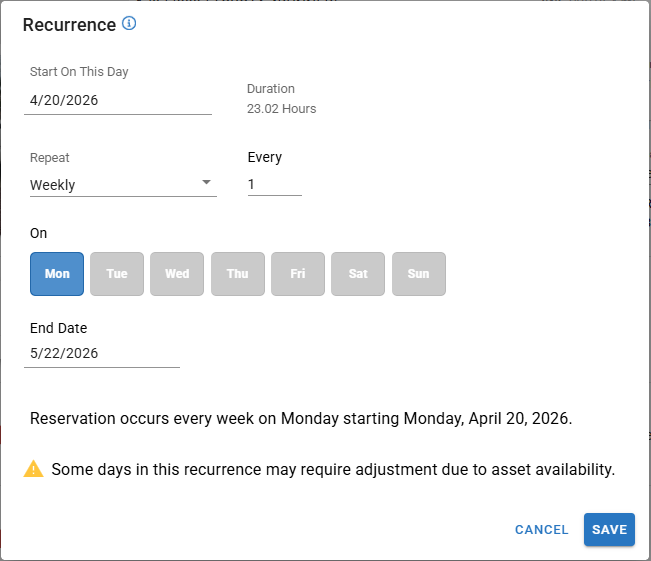
In the recurrence scheduler, complete the following fields:
Once the recurrence option is selected the following are Required Fields:
Start Date
From Time / To Time
Repeat Every
Enter a numeric value (for example, every 1 week).
End Date
Must be within 6 months of the start date
Recurring reservations are limited to a maximum of 6 months from the start date.
Once recurrence pattern is completed click Save.
What Happens After Saving
The system automatically creates individual reservations for each occurrence through the selected end date.
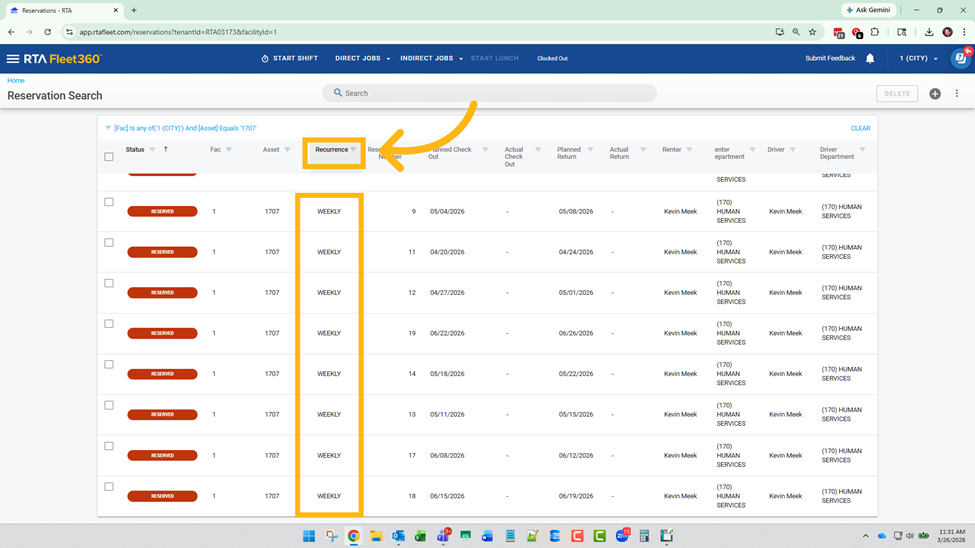
Each reservation appears separately on the Reservations Grid.
Reservations are marked as Recurring and can be filtered or sorted.
Handling Conflicts and Errors
If a recurring reservation conflicts with:
An existing reservation for the same asset, or
A category where no assets are available,
You will see a notification indicating that some reservations may require adjustment, along with links to the affected reservations.
Overlapping Duration Errors
If the reservation duration is longer than the recurrence frequency (for example, a 48-hour reservation repeating every 24 hours), the system will prevent saving and display this message:
“This reservation can’t repeat yet — the current booking lasts longer than the time between recurrences. Try shortening the duration or scheduling the recurrence farther apart.”
Editing the Recurrence Schedule
On the reservation screen for one of the recurring reservations, locate the Repeat dropdown and click on the
 to Edit the Recurring Schedule.
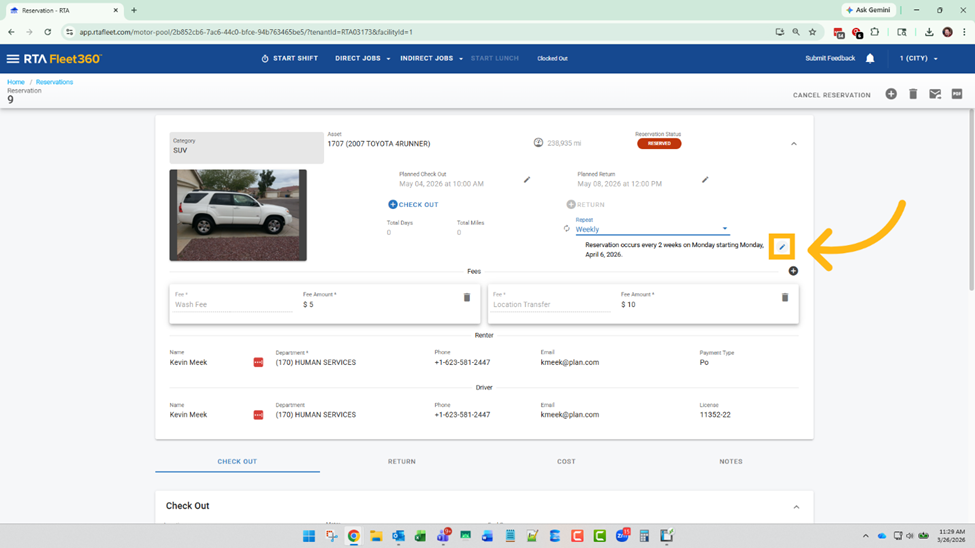
Modify the Recurrence Settings:
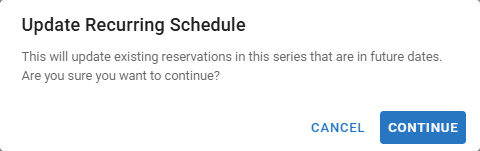
You will get the Following Message pop up explaining you are about to Update Recurring Schedule
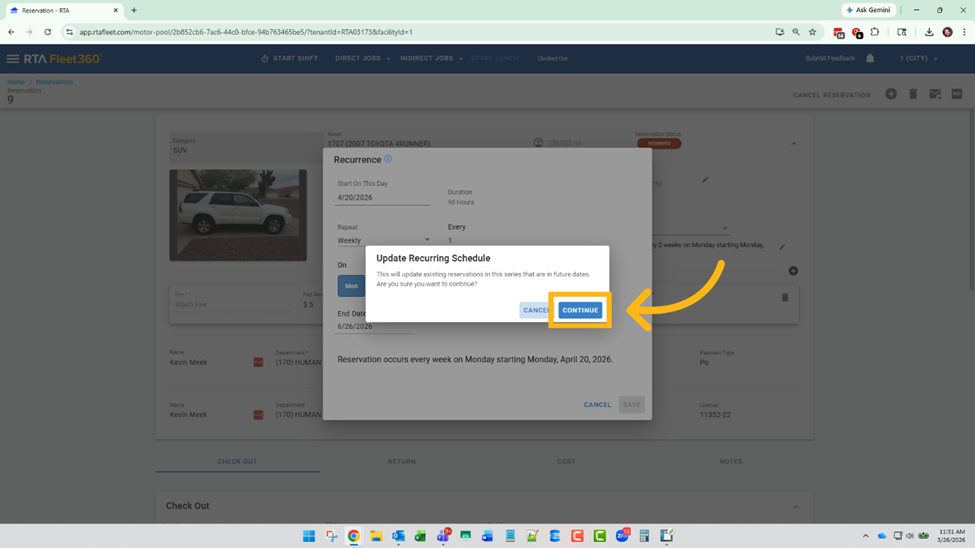
Deleting the Recurrence Schedule or Individual Reservations within the Series
On the reservation screen, locate the Delete Trashcan Button
 in the top right corner.
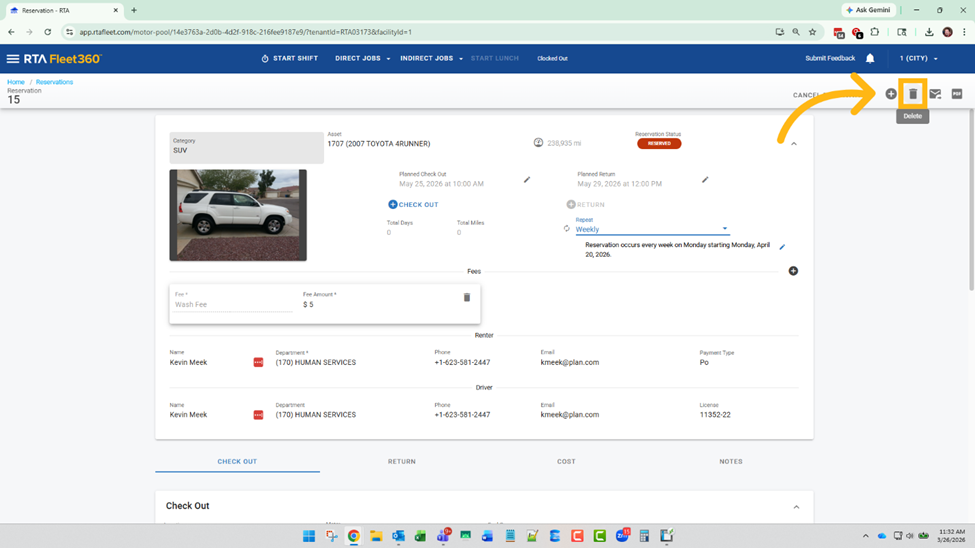
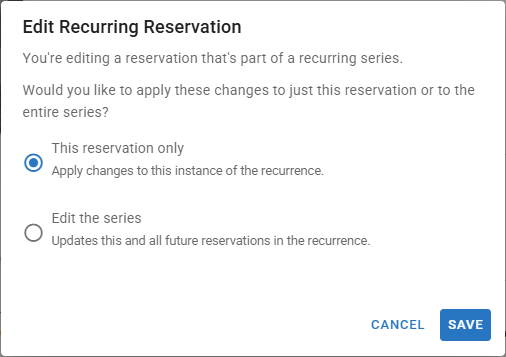
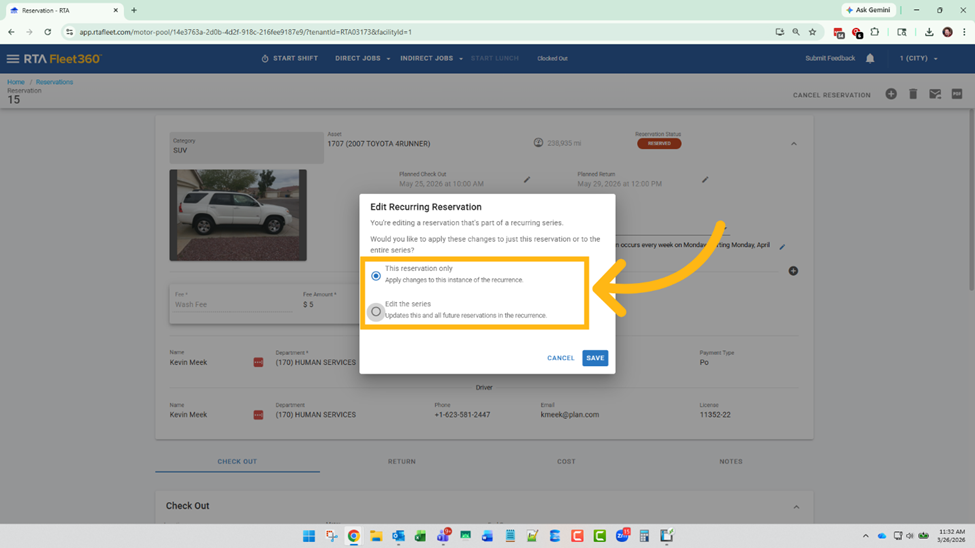
Choose one of the following Edit Recurring Reservation options:
This reservation only
Edit the series
Delete Reservation Warning: Once you select to delete one reservation or the whole recurring series you get this message warning you once you hit DELETE you cannot undo this process.