Extract WO Records
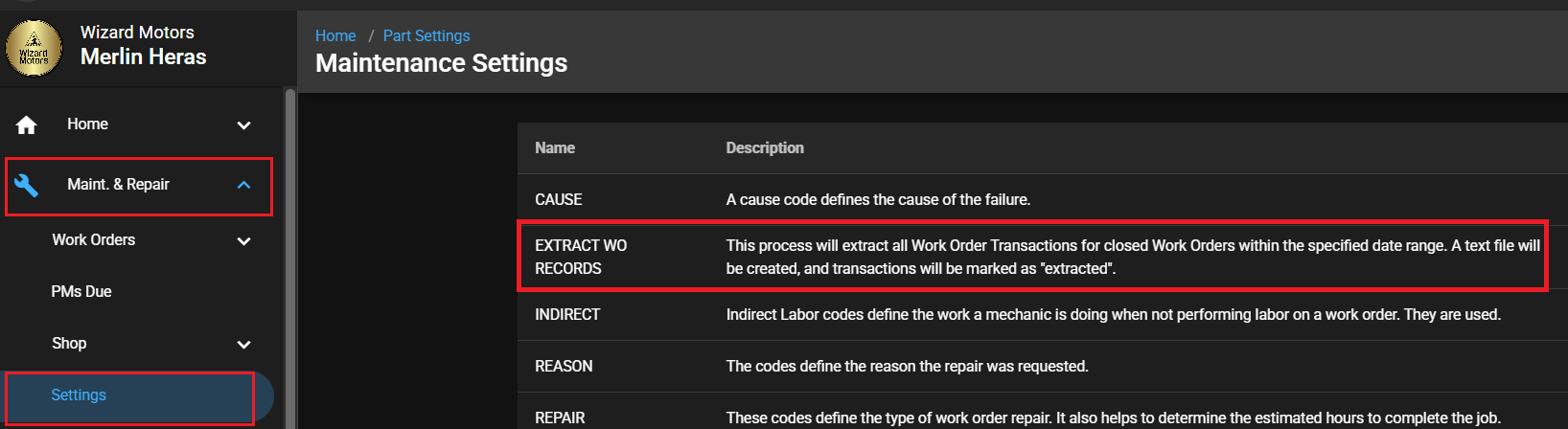
Maint. & Repair>Settings>Extract WO Records
The Extract WO Records feature allows users to export work order transaction data for closed work orders within a specified date range. This feature creates a text file containing all applicable work order transactions and marks each extracted transaction as Extracted to prevent duplicate processing. This process extracts all work order transactions for closed work orders within the selected date range, creates a text file, and marks the transactions as extracted.
This utility is designed to support reporting needs, data sharing, and integration with external systems.
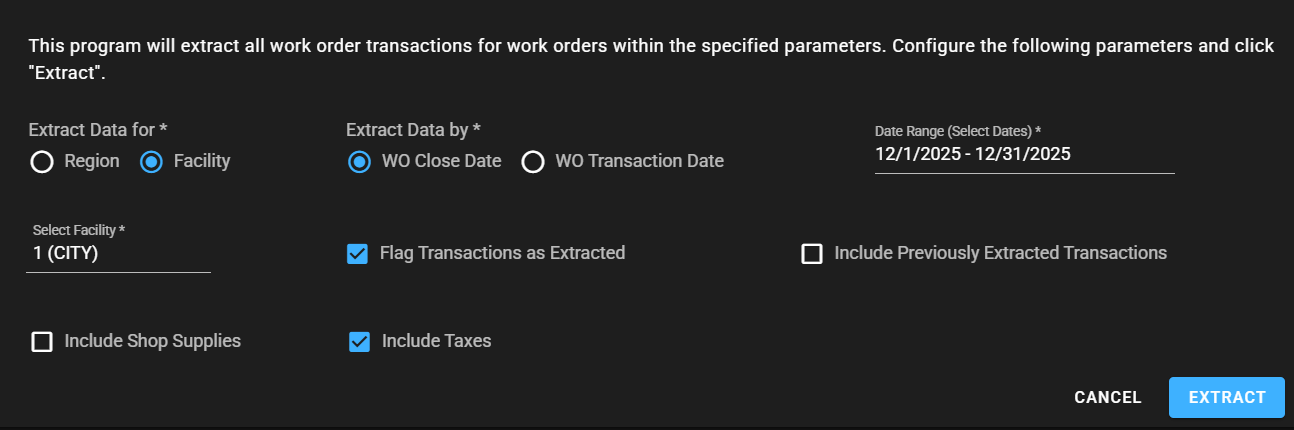
Extract WO Records screen:
Extract Data for
Region
Facility
Select Facility or Region
Facility selector (required when Facility is chosen)
Region selector (required when Region is chosen)
Extract Data by
WO Close Date
WO Transaction Date
Date Range (Select Dates)
Start Date – End Date
Flag Transactions as Extracted
Marks extracted transactions to prevent duplicate exports
Include Previously Extracted Transactions
Includes transactions that were already marked as extracted
Include Shop Supplies
Adds shop supply transactions to the extract
Include Taxes
Adds tax-related transactions to the extract
You will receive and email notification and an in-app notification with a link to download your extracted file once it is complete.